6 Best Alternatives to Symbolab's AI Math Solver in 2025
When a homework problem stalls you — an algebra equation, a tricky integral, or a graphing question — you want an equation solver that gives clear step-by-step solutions and helps you actually learn. Symbolab stands out among the Best Math Learning Apps because it pairs an AI math solver with walkthroughs for calculus, trigonometry, derivatives, integrals, matrix work, and visual graphing.
If you want choice, speed, or a different way to check your work and understand methods, this article will help you know the 6 Best Alternatives to Symbolab's AI Math Solver in 2025. Which tool will match your course and study style?
To make that search easier, the transcript's solution—an AI study tool—works like a patient tutor, checking your steps, explaining methods in plain terms, and pointing you to the best math apps and calculators for homework help.
Summary
- Leading AI math solvers have processed over 200 million calculations and are used in more than 100 countries, a scale that exposes recurring student failure modes and forces continuous improvement.
- More than 1 million users switched to alternative math solvers in the past year, signaling a meaningful migration away from single-solution workflows and a demand for different teaching approaches.
- User sentiment indicates that migration is not just churn: 75% of users report improved satisfaction after moving to alternatives, suggesting better alignment with learning needs rather than raw speed.
- Reported learning outcomes show impact: 90% of students say their grades improved after using alternative math solvers, suggesting that the right tool choice can influence course performance.
- Practical evaluation matters, run a five-step trial such as 30 mixed problems across two device types, plus a timed reconstruction and teacher review, because those simple metrics reveal whether a solver supports repeatable learning.
- Input robustness is a standard hidden cost; test OCR and photo parsing by photographing ten real problems under mixed lighting and tracking manual corrections, since frequent fixes erase any time savings.
- Transcript's AI study tool addresses this by centralizing scan-and-solve workflows, preserving replayable step histories, and providing guided chat explanations that turn verification into active practice.
What Is Symbolab?
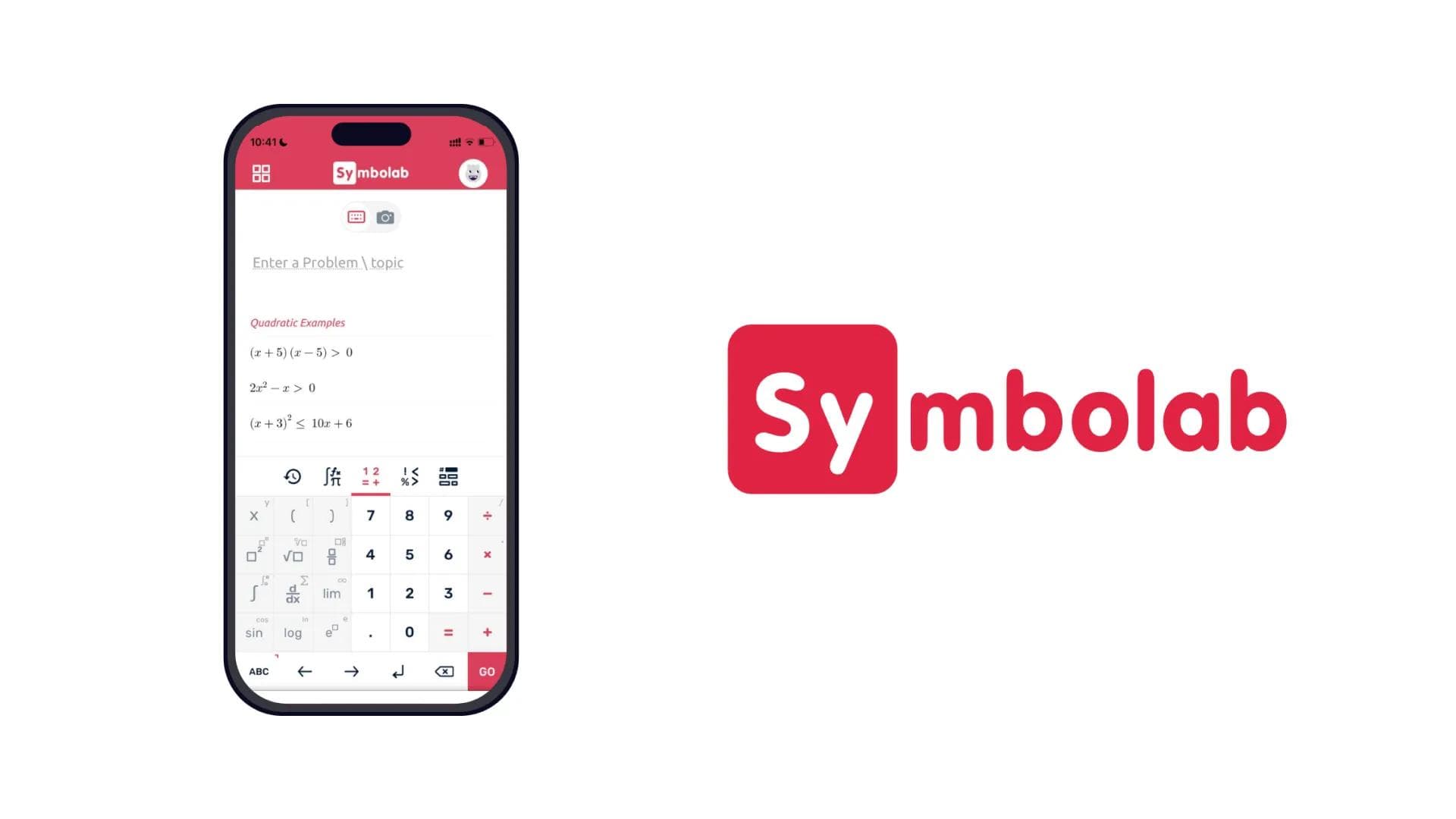
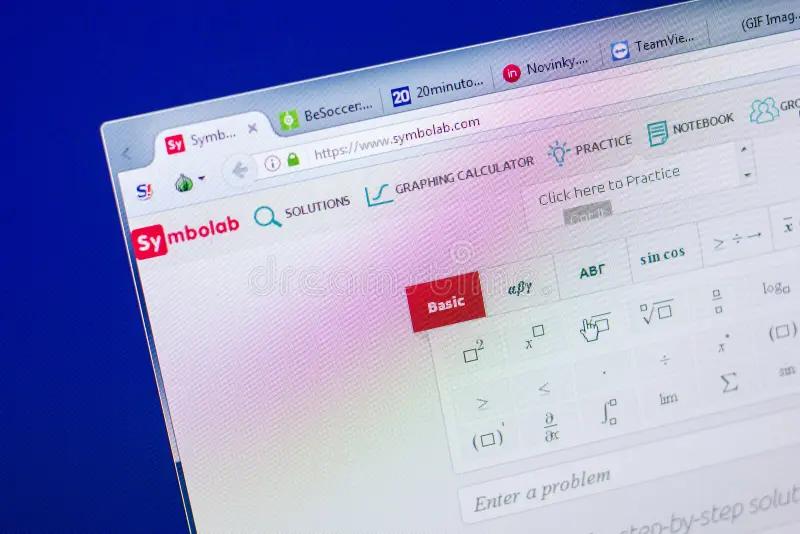
Symbolab is an AI-driven math solver that converts complex problems into clear, replayable steps so learners actually understand the how, not just the final number. It pairs step-by-step explanations with graphing and multiple-input modes so students move from guesswork to a reliable procedure.
How broad is its reach, and why does that matter?
Symbolab (2023) reports over 200 million calculations performed, and it is used by students in over 100 countries, which shows the tool is not a niche toy but a real-time learning aid relied on across curricula and time zones. That kind of scale matters because frequent use reveals recurring failure modes, and a platform that survives global scrutiny generally cleans up edge-case math behaviors students trip over.
How does it teach so you can actually learn?
This pattern appears across homework, exam prep, and tutoring sessions: students often get the final answer but cannot reproduce the steps when they must. Symbolab addresses that by breaking problems into incremental operations, annotating algebraic manipulation, and showing alternative solution paths. Those annotated steps act like low-friction rehearsals, so a student can test one move, rewind, and try another approach until the method feels automatic. The effect is procedural fluency, not rote copying.
Most teams default to quick checks; what’s the hidden cost?
The familiar approach is to verify answers with a calculator or answer key because it feels fast and low-effort. As problem complexity increases, that habit hides gaps: small algebra slips multiply into wrong conclusions, confidence drops, and students spend more time redoing problems than truly learning them. Platforms like Symbolab change that tradeoff by offering instant, stepwise walkthroughs, graph visualizations, and photo-input options, so verification becomes instruction rather than a final pass.
What input methods and tools actually reduce friction?
Which inputs matter depends on your context. If you work from printed worksheets, the photo scanner saves time and preserves notation; if you prefer practice sets, the typed editor and graphing calculator let you experiment with parameters and see visual consequences. For classrooms, reproducible step lists support group discussion because every student can point at the same step and question it. Think of it like a GPS that narrates every turn, so learners internalize the route rather than memorize the destination.
When should you rely on it, and when should you step back?
Use Symbolab to learn procedures, check intermediate steps, and visualize functions; these uses speed homework completion and strengthen procedural knowledge. Be cautious when using it as a shortcut for high-stakes assessments, because over-reliance on instant answers can mask misconceptions. It’s exhausting when you get a correct result but still feel unsure why; treat the step-by-step output as a tutorial to replicate, not a crutch to accept without scrutiny.
That clarity helps, but the trade-offs you do not see yet will change how you pick alternatives next time.
Related Reading
- Why Am I So Bad at Math
- What Does PEMDAS Stand for in Math
- How to Make Math Fun
- Funny Math Problems
- How To Study For Maths Exam
6 Key Features to Look for in Symbolab Alternatives

Prioritize how a solver teaches, not just whether it gets the correct answer; the best alternatives show reasoning that students can reproduce and adapt. Test each candidate with concrete tasks that expose edge cases, because surface accuracy hides gaps in pedagogy and scalability.
Market context that matters
Adoption patterns confirm this is a live problem for students and instructors, with over 1 million users switching to Symbolab alternatives in the past year, according to SourceForge (2023), indicating a meaningful migration away from a single-solution model. User sentiment supports that shift, with 75% of users reporting improved satisfaction with Symbolab alternatives, per Slashdot 2025, suggesting many switchers find a better match for their learning needs rather than just faster answers.
Step-by-step quality, measured
How granular are the steps, and do they teach strategy? Don’t accept a solver that presents terse algebraic shortcuts as instruction. I test step output by asking for two alternative solution paths for the same problem and timing how long it takes me to reproduce the method on paper. If you cannot replicate the steps in three tries, the solver is giving answers, not pedagogy. Look for explicit justifications for transforms, units of work small enough to practice, and notes about when a shortcut sacrifices generality.
Input flexibility, judged by robustness
Handwriting OCR or image parsing is only helpful if it handles handwriting messes, skewed photos, and multi-line notation reliably. Put an absolute worksheet through the tool: ten photographed problems under mixed lighting, some with subscripts and integral signs. Track how many require manual correction. A solver that needs constant manual fixes costs more time than a marginally slower but consistently typed interface.
Topic coverage, probed for depth
Breadth alone is not the point; depth is. Instead of checking whether a solver lists "linear algebra" on its homepage, run a sequence of progressively more challenging questions in one domain — start simple, then add constraints, then ask for proofs or parameterized families. That exercise exposes whether the solver has symbolic manipulation depth, numerical stability, and pedagogical scaffolding for advanced topics.
Graphing and visualization, beyond plotting
Ask whether the graphs are interactive and whether you can change parameters while watching the steps update. The value comes from turning static plots into experiments, so prefer solvers that let students drag roots, adjust coefficients, or overlay step annotations on the graph. That interaction converts visual intuition into a repeatable technique.
Cross-device experience and accessibility
Don’t just check for an app icon; test sync, offline behavior, and screen-reader compatibility. Try solving a problem on mobile, then continue on the web to see whether the step history remains intact and searchable. Accessibility features, such as scalable math fonts and keyboard navigation for notation, distinguish classroom-ready tools from hobby apps.
Interface and distraction management
A clean UI helps focus and makes repetition sustainable. But cleanliness is measurable: count the clicks to get from problem input to a reproducible step list, and time how long it takes to export or copy steps for a study guide. If ads or modal upsells interrupt that flow, the tool undermines learning momentum. Favor platforms that let you enter "study mode" or export annotated steps with one click.
Status quo disruption
Most students and teachers rely on quick verification via single-answer checks because they are familiar and require no new workflows. That habit fragments learning as problem sets grow in complexity, with students missing procedural mistakes and teachers spending class time re-teaching the duplicate slips. Platforms like AI study tool centralize scan-to-explain workflows and step tracking, so study sessions turn into practice drills with clear evidence of progress.
How I recommend you test candidates, in practice
Run a controlled five-step trial over a week: 30 mixed problems, two device types, one timed reconstruction exercise, and one teacher review. Track repeatable metrics, like reconstruction success rate, average correction time for OCR, and number of interactive graph changes per problem. Those simple numbers tell you whether a solver supports lasting learning or just instant checks.
Transcript brings AI-powered study tools directly to students' fingertips, helping them tackle complex coursework more efficiently, and acts as an AI study tool that centralizes scan-and-solve, an intelligent notebook, and guided chat explanations. Try scanning a problem and watch the platform produce detailed, replayable steps that help you learn while you solve.
That practical benchmark raises a question you will want answered next.
Related Reading
- How To Understand Maths Easily
- How To Get Better At Math In High School?
- How To Study For A Math Test
- How To Study For A Math Quiz
- How to Learn Math Fast
- Best Way to Learn Math
6 Best Alternatives to Symbolab's AI Math Solver
Each app targets a distinct need: some prioritize breadth and speed, others prioritize personalized tutoring or interactive practice. Below, I map who benefits most from each tool and which tradeoffs matter when you pick one for sustained learning.
Which students should choose Transcript AI?

After working with high-achieving STEM applicants during an admissions cycle, the pattern became clear: they need a single tool that handles multiple subjects, gives clear, repeatable steps, and fits into hectic study routines. Transcript AI matches that profile with multi-subject support, photo-based input, and detailed explanations, so students who juggle physics, chemistry, and advanced math will have a single consistent workflow rather than bouncing between niche apps.
Is Mathway the dependable, wide-coverage solver?
Mathway shines when you need reliable coverage across algebra, calculus, trig, and statistics, with a graphing calculator that helps you visualize problems quickly. If your goal is dependable, fast solutions for a wide range of issues, and you value a strong, typed, photo-input pipeline, Mathway is the practical choice.
When should you pick AI Blaze?
AI Blaze is the go-to when you want an all-purpose assistant that lives across your browser and apps, and gives free, real-time help plus practice tests. Use it for quick homework checks, mock exams, or when you want a single assistant to jump between writing, planning, and solving without switching tools.
Who benefits from Mathos AI?
Choose Mathos AI if you need interactive tutoring features, like voice input, an editable whiteboard, and personalized lesson pacing. Students who struggle to follow static steps will appreciate the guided tutoring and PDF homework uploads that turn assignments into teaching moments.
Why try MathGPT for visual learners?
MathGPT is tailored for learners who benefit from visual and active formats, with step-by-step solutions, personalized AI videos, and interactive quizzes that convert passive answers into practiced skills. If you retain material best through short videos and repeated quiz cycles, this tool is a good fit.
When is Gauth AI the right pick?
Gauth AI is ideal for fast, on-demand help: snap a photo, get a stepwise solution, and return to study. Its 24/7 availability and simple photo-math workflow make it the right companion for late-night problem sets or when you need a quick conceptual nudge.
Most students default to one solver for speed, which makes sense when deadlines pile up and study time is scarce.
That habit erodes deep understanding, because quick checks teach you whether an answer is correct, not why a method generalizes. Platforms like AI study tool centralize scan-and-solve, an intelligent notebook, and chat-based step explanations, giving repeatable step histories that replace scattered screenshots and fragmented notes.
How should you choose, practically?
Think like a coach selection: pick a sprinter coach when you need speed, a distance coach for long-term fluency, and a technique coach when fundamentals break down. Test candidates with three targeted problems you care about: one routine exercise, one tricky edge case, and one conceptual proof. Observe whether the tool explains the why, not just the how, and whether you can replay and practice the steps without rebuilding context each time.
A concrete tradeoff to watch: free, real-time assistants often prioritize access and volume, while paid or tutoring-focused tools prioritize pedagogy and depth. Match the tool to the course stakes and your study habits, because matching matters more than features alone.
According to Blaze Today Blog, over 1 million users have switched to alternative math solvers, and many students are actively experimenting with them, making trialing tools a low-cost, high-return move. And the learning impact shows up in grades, too: in a Blaze Today Blog post, 90% of students report improved grades after using alternative math solvers, suggesting the right match can change outcomes quickly.
Transcript brings AI-powered study tools directly to students' fingertips, helping them tackle complex coursework more efficiently. As an AI study tool, Transcript pairs instant scan-and-solve, an intelligent digital notebook, and an AI chat that walks students through step-by-step explanations.
That solution sounds tidy until you test what actually happens during crunch time and see which gaps remain.
Get Answers for Free Today with Transcript
After working directly with students on tight problem sets, we saw how quickly confusion can compound when different methods yield conflicting answers. Consider the Transcript when you need a steady way to verify steps and rebuild confidence. Math Medic Blog, "Over 75% of students found the free transcript service helpful. And Math Medic Blog, More than 10,000 students have accessed the transcript service. Show real students rely on it in real study moments.
Related Reading
- Best AI Math Solver
- How to Learn Math on Your Own
- How to Learn Math Fast
- Hard Math Problems With Answers
- College Math Problems With Answers
- Math Problems for 5th Graders
- College Math Problems With Answers
- Julius AI
- Microsoft Math Solver