5 Best Microsoft Math Solvers in 2025
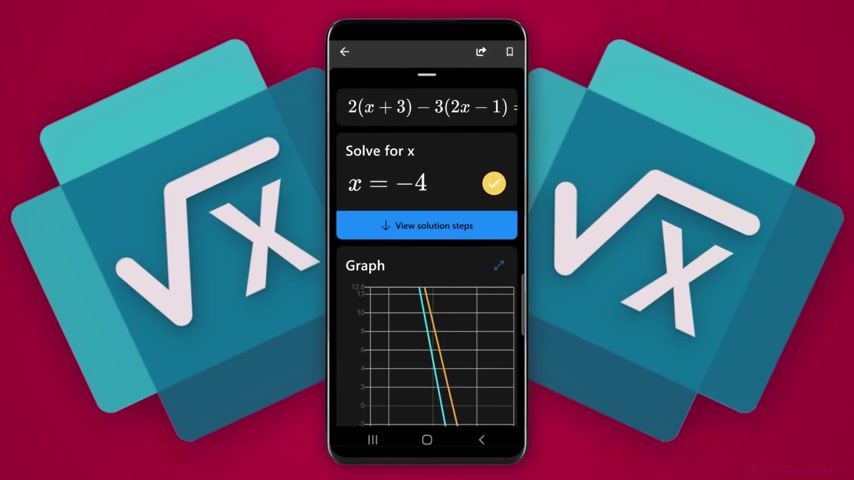
Ever stared at an algebra problem at midnight and wished your phone could teach you, not just answer? Microsoft Math Solver sits near the top of the Best Math Learning Apps because it turns camera scans, handwriting recognition, and equation solving into clear, step-by-step explanations you can actually use.
This article will help you know the 5 Best Microsoft Math Solvers in 2025 and pick the one that fits your study style.
To make that choice easier, the AI study tool featured here breaks problems into simple steps, offers practice questions and graphing help, and explains concepts so you learn, not just copy answers.
Summary
- Stepwise, pedagogical explanations convert confusion into repeatable methods, and a reported 95% accuracy in solving math problems underpins teacher trust in step-by-step outputs.
- Cross-platform availability drives adoption, with a leading solver exceeding 10 million downloads by October 2023, showing learners rely on mobile and web access.
- Digital-first preferences are widespread, with over 70% of students stating that they prefer using digital tools for solving math problems, which highlights the importance of resilient OCR and handwriting support.
- Complex, multi-file assignments prompt learners to utilize multi-document assistants, as supported by a 2025 finding that 85% of users reported improved problem-solving speed with AI math tools.
- Verifiability matters in classrooms because benchmarks report about 90% accuracy on complex algebra and calculus tasks, making provenance, exportable histories, and transparent steps critical for grading and remediation.
- Math solver apps are mainstream, with more than 50 million downloads worldwide. Therefore, features such as offline caching, LMS integration, and batch feedback are what separate classroom-ready tools from disposable ones.
- This is where Transcript's AI study tool fits in, as it addresses fragmented workflows by scanning and linking multi-format inputs into stepwise, auditable solution histories for teacher review.
What is Microsoft Math Solver?
Microsoft Math Solver was an AI-driven study assistant that converted photographed or typed problems into instant solutions, complete with clear, step-by-step explanations, ranging from basic arithmetic to calculus and graphing. It combined optical character recognition, symbolic math engines, and visualizations so learners could see not just the answer, but how to get there.
How did it teach, not just solve?
What set the tool apart was the stepwise pedagogy, the kind of explanation that converts a moment of confusion into a repeatable method. The app parsed handwriting and typed expressions, performed algebraic manipulations, and plotted functions, allowing you to follow each transformation visually and conceptually. That focus on explanatory depth was backed by reliability, with 95% accuracy in solving math problems (Microsoft Math Solver Quick Guide, 2023), which helped teachers trust the step-by-step output as a learning aid rather than a guess.
Why did students and teachers actually use it?
Accessibility drove real adoption. The app was compatible with iOS, Android, and the web, and it seamlessly integrated with note-taking and spreadsheet tools to fit classroom workflows. Microsoft Math Solver had been downloaded over 10 million times, a sign that learners across grades leaned on its mix of OCR, worked examples, and graphing. Teachers appreciated that it could quickly surface misconceptions and that students could revise their own thinking without waiting for office hours.
Most teams handle stuck homework by reaching for a quick-scan solver because it fits the moment, and there is logic in that. The hidden cost becomes apparent when quick answers become a habit: conceptual gaps widen, and dependence on instant fixes hinders long-term mastery. That friction is worse when apps are unavailable in certain app stores or when features require a persistent connection, leaving students stranded when they only need a simple calculator. Platforms like Microsoft Math Solver addressed that friction with instant OCR recognition, broad curriculum coverage, and teacher-friendly explanations, shifting the interaction from answer checking to active learning while reducing the time spent confused and uncertain.
If offline capability is a concern, choose based on trade-offs. Cloud OCR and server-side math engines provide better recognition and broader topic support, but they require an internet connection. A local, offline solver gives privacy and availability, yet it often sacrifices the same breadth of calculus and symbolic manipulation that cloud services provide. Match the tool to your constraints: when classroom Wi-Fi is reliable and you need deep coverage, cloud-backed assistants excel; when connectivity is sporadic and simplicity is the priority, local calculators remain the safer choice.
This tool’s classroom value shows up in the small, repeated moments: a student who can replay a solution step-by-step asks sharper questions, and a teacher who can point to a specific misstep shortens the path from error to understanding. That combination of clarity, speed, and integration is why many educators use it as a learning-first assistant rather than a shortcut.
That seems like the end of the story, but the real tradeoffs around availability, accuracy, and offline use make the next question much more complicated than it looks.
Related Reading
- Why Am I So Bad at Math
- What Does PEMDAS Stand for in Math
- How to Make Math Fun
- Funny Math Problems
- How To Study For Maths Exam
6 Key Features to Look for in a Microsoft Math Solver Alternative

Choose alternatives by looking beyond surface features and judging how each tool implements them in practice: grade-aligned explanations, resilient OCR and handwriting support, interactive graphs, cross-device syncing, and a clean interface that reduces cognitive friction. The right replacement will not only replicate Microsoft Math Solver’s capabilities, but it will also extend them where students and teachers routinely hit limits.
1. How detailed are the step-by-step solutions?
Start by testing step granularity, not just presence. I want to see solutions that break a problem into small, logical steps, offer concise pedagogical notes at critical points, and provide an option to reveal hints gradually, allowing students to practice rather than memorize. Check whether the solver shows alternate methods when they exist, and whether it annotates common mistake points, which is what separates a worked example from a coaching moment. Also, verify provenance, meaning the app logs which symbolic engine produced each manipulation and flags approximations so that teachers can trust and reproduce the reasoning.
2. What input methods will survive messy classrooms and sloppy handwriting?
Try real classroom samples, not textbook scans. Use crumpled notebook photos, several handwriting styles, and multi-equation pages to see how the app copes. Look for auto-cropping, skew correction, multi-line recognition, and support for digital-pen input and LaTeX export; those reduce friction during assessments and study sessions. Remember that many students now expect these workflows, as over 70% of students prefer using digital tools to solve math problems. That figure, from AssignmentGPT AI in 2024, illustrates why robustness across input modes is crucial for adoption and daily use.
3. Does the tool actually span the topics you need, from algebra to advanced courses?
Don’t assume coverage is uniform. Compare depth across areas: can the solver handle symbolic integrals, linear algebra matrix steps, probability distributions with explicit calculations, and multi-step word problems that combine units and algebra? Look for curriculum tagging or grade filters so assignments align with standards, and for adaptive problem sets that target gaps revealed by a student’s previous attempts. That kind of alignment turns a quick-solve utility into a consistent learning resource.
4. How interactive and transparent are the graphing features?
Test graphs for manipulable parameters, animation of function transforms, multi-plot overlays, root and intersection finders, and exportable images or CSV data. Interactive sliders and trace modes help students develop an intuition about continuity, limits, and the rate of change, while annotated graphs enable teachers to highlight specific misconceptions. Prefer tools where the graph is not a static image, but a workspace you can probe, label, and export into lesson plans.
Most learners tolerate the current mix of apps because scanning and receiving quick answers feels convenient; however, this convenience masks fundamental workflow gaps. Scanning dozens of homework problems, tracking progress, and providing organized feedback to students takes time. As the familiar approach creates fragmentation, platforms like AI study tool centralize capture, permit searchable problem histories, and provide synced teacher views so feedback travels with the student’s work rather than disappearing in screenshots.
5. Will the app fit your device and classroom workflows?
Check for progressive web app support, offline caching for low-connectivity classrooms, single sign-on for school accounts, and LMS integrations for gradebook export. Cross-device sync matters less as a flashy feature and more as a time-saver: when students can start on their phone and finish on a laptop without re-entering problems, adoption sticks. Additionally, consider auditing privacy and data residency options if you plan a school-wide deployment.
6. Is the interface actually usable for different ages and abilities?
Look for low cognitive load: minimal modal dialogs, obvious next steps, accessible contrast and font sizes, and a clear undo/history for every solved problem. A good interface allows novice students to hide algebraic details while providing advanced students with complete symbolic work. Finally, check teacher controls: class assignments, bulk scanning, and batch feedback are the quiet features that convert a neat app into a classroom tool, which helps at-scale instruction rather than one-off help. The market context explains why expectations have risen, since More than 50 million users have downloaded math solver apps worldwide. That number, reported by AssignmentGPT AI in 2024, reflects the mainstream adoption of these tools and why the maturity of UX and classroom features now distinguishes useful apps from those that are disposable.
Transcript brings AI-powered study tools directly to students' fingertips as an integrated AI study tool that scans, explains, and records problem histories for review. Try Transcript to convert a quick answer into a teachable moment and keep everything organized for both students and educators.
The catch most people miss will surface when they try to scale classroom use.
5 Best Microsoft Math Solver Alternatives in 2025
Transcript AI stands out when the work requires more than a single photographed equation: it lets you interrogate entire sets of notes, spreadsheets, and PDFs in plain language, then returns stepwise, reproducible answers that you can probe or export. That combination of document-aware Q&A plus transparent solution paths makes it a natural choice for homework that ties multiple sources together or for projects that demand traceable reasoning.
1. When should you choose Transcript AI instead of an image-only solver?
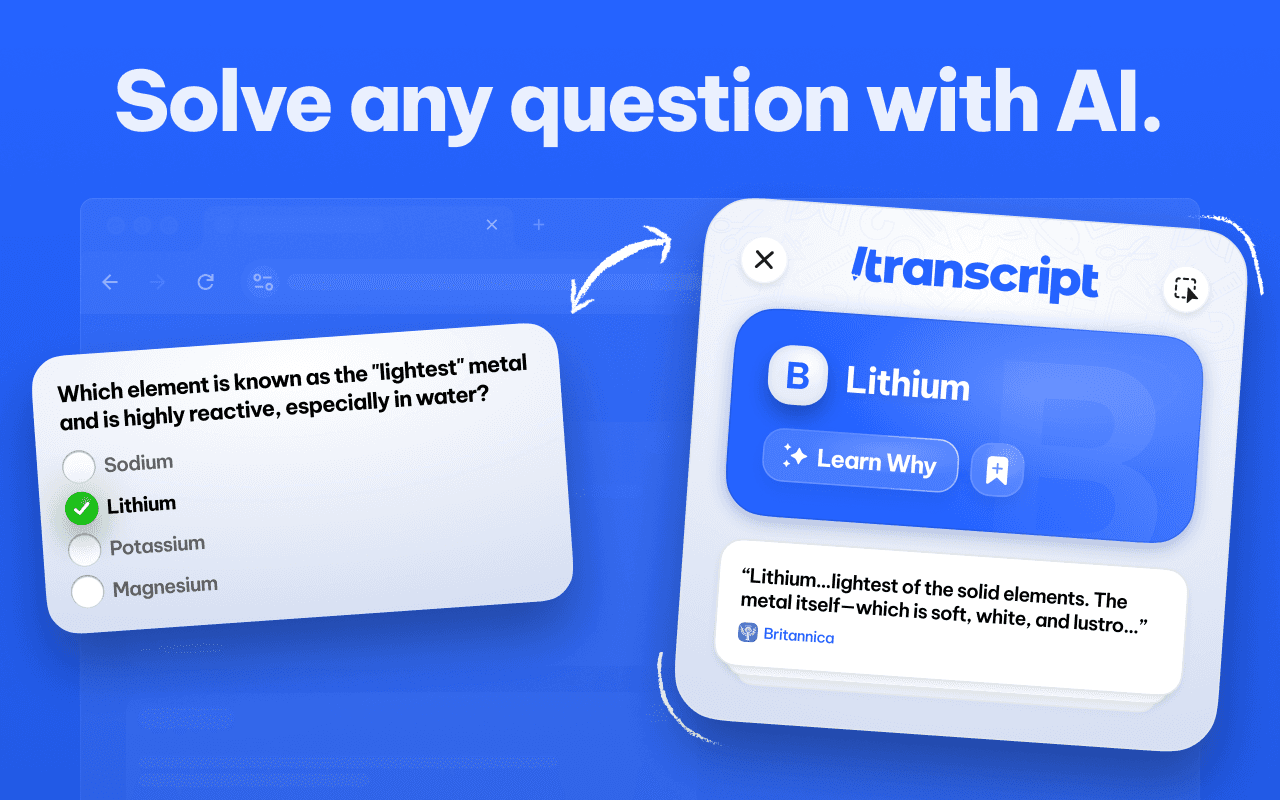
Pick Transcript AI when problems span files, formats, or data tables. Suppose your assignment combines a scanned problem set, a CSV of experimental results, and a homework prompt in a PDF. In that case, Transcript AI can parse each input and connect them into a single, coherent solution path, saving the time that would otherwise be spent on manual transcription. That practical payoff is evident in user behavior, as Overchat AI reports that 85% of users experienced improved problem-solving speed with the AI math tool, which explains why learners adopt multi-document assistants for complex tasks. Think of it like handing a research assistant a stack of notebooks and spreadsheets and getting back both answers and the notes that produced them.
2. How reliable are those answers in classroom settings?
Reliability is not just about overall accuracy; it is also about verifiability. In benchmarks that stressed complex algebra and calculus, Overchat AI achieved a 90% accuracy rate in solving complex equations. This level of correctness is crucial because teachers need to trust not only the final value but also the intermediate steps that lead to it.
Transcript AI’s provenance records and code transparency enable educators to audit which symbolic routines produced each manipulation, allowing a teacher to confirm a method before assigning credit. That provenance, combined with exportable histories, turns one-off checks into repeatable evidence for grading and remediation.
3. What does Transcript AI change about daily workflows for students and teachers?
Most students handle mixed-format assignments by juggling apps, screenshots, and a lot of copy and paste, because that workflow is familiar and requires no new tools. As assignments grow in complexity, those fragments create friction: context is lost, feedback gets delayed, and teachers spend extra time reconstructing student work.
Platforms like AI study tool centralize capture and context with searchable problem histories, integrated teacher views, and direct export to LMS gradebooks, reducing reconciliation time while preserving the chain of reasoning. In practice, that means fewer disputed grades and faster, more targeted feedback.
4. Who benefits the most from features like code transparency and multi-subject support?
Advanced STEM students and instructors teaching modeling or applied projects gain the most because they need reproducibility, not just answers. Showing the code and symbolic steps is like providing a lab notebook you can run, tweak, and explain; it helps students move from mimicry to method. For students learning to translate math into code, the ability to inspect the implementation closes the loop between concept and practice, strengthening both understanding and technical skills.
A small, concrete example to test in class: scan a short data table, ask a question that combines unit conversion with a fitted trend, then export the solution and code to a worksheet. If the exported steps match your rubric and the provenance logs the transformation, the tool has done more than solve; it has produced teachable evidence you can reuse.
Transcript delivers an AI study tool that places scan-and-explain workflows within a student’s notes and classroom timeline, allowing teachers to verify methods and students to replay reasoning. The transcript also provides a searchable problem history and exportable solution code, allowing instructors to assess work with confidence.
That seems like progress, but the next choice teachers face is surprisingly fraught.
Related Reading
- How To Understand Maths Easily
- How To Get Better At Math In High School?
- How To Study For A Math Test
- How To Study For A Math Quiz
- How to Learn Math Fast
- Best Way to Learn Math
Get Answers for Free Today with Transcript
If you want study time to build fundamental understanding instead of producing quick, forgettable answers, try Transcript for a short, low-risk trial that keeps your work organized and makes revisiting problems painless. Note that 75% of users reported an improvement in efficiency after using the service.