5 Best Julius AI Alternatives in 2025
Choosing the right AI helper for math feels like standing in front of a shelf full of apps and not knowing which one will actually improve your skills. In the Best Math Learning Apps category, Julius AI stands out for adaptive learning, AI tutor features, personalized feedback, and quick homework help.
Which features matter to you? To help readers know the 5 Best Julius AI Alternatives in 2025, this article breaks down strengths, pricing, and classroom fit so you can choose with confidence.
To help readers reach that goal, the transcript's solution, an AI study tool, compares core features, personalizes practice, tracks skill gains with simple learning analytics, and points you to the apps that match your needs.
Summary
- Natural-language data assistants speed routine analysis by converting plain English into visuals and executable code, with some vendors claiming up to 10 times faster processing for standard reporting tasks.
- Generalist platforms are widely adopted but struggle with specialized symbolic math and cost predictability, a pattern that is evident even though over 5,000 companies use these tools.
- Choosing the right alternative can yield real savings, with average reported operational cost reductions near $15,000 per year when a platform scales efficiently. Usability and collaboration are decisive, since over 70% of users in a recent survey reported increased productivity after switching to a better-matched alternative, making onboarding time and shareability critical metrics.
- Market trends favor multipurpose, transparent tools, as the AI tools market is projected to grow about 30% annually until 2025, and over 50% of companies are expected to adopt alternatives by 2025.
- Practical evaluation beats demos: run three quick prompts, perform a live connector edit, and run a focused six-week pilot on a single high-value workflow, because hands-on tests revealed real reductions in app toggling and workflow friction.
- The transcript addresses this by centralizing uploads, preserving reproducible code outputs, and combining scan-and-solve with an intelligent notebook so students and teams can keep context intact.
What is Julius AI?
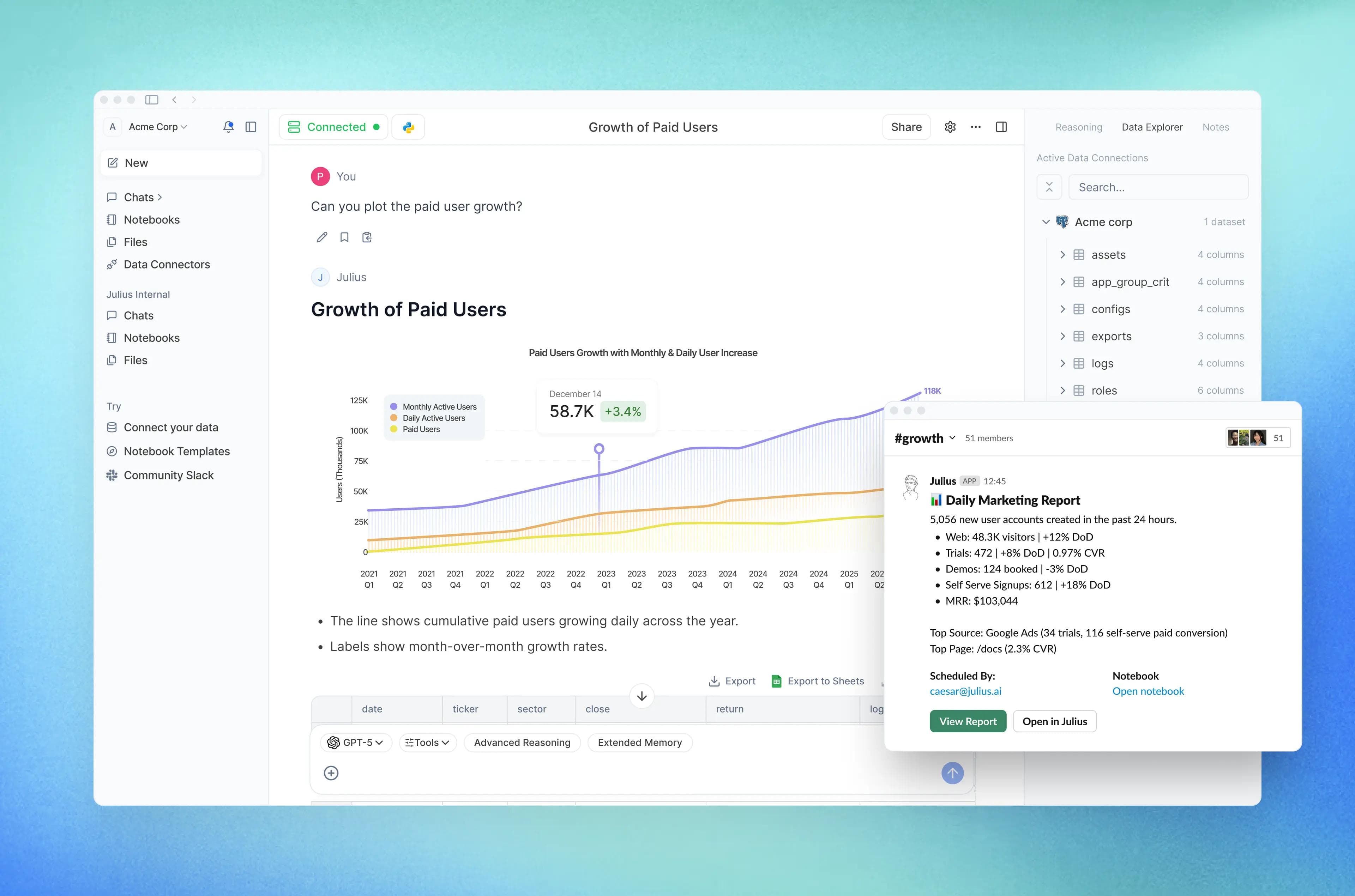
Julius AI is a natural‑language data analyst that turns uploaded files into charts, explanations, and reproducible code, making routine analysis accessible to nontechnical teams while speeding iteration. It’s excellent for rapid reporting and hypothesis checks, but it isn’t the best fit when you need bespoke mathematical solvers or the lowest‑cost option.
What does Julius AI actually do well?
For everyday questions like “show revenue by region” or “what’s changing in churn,” Julius AI converts plain English into visuals, tables, and executable Python or R snippets, so analysts can move from question to answer in minutes. For many organizations, that means fewer handoffs and a faster decision loop; the vendor even claims Julius AI processes data 10 times faster than traditional methods. This speaks to routine aggregation and dashboard refresh speed rather than exotic modeling work. I often recommend it to product managers and operations teams who need clear answers without waiting on engineering cycles.
Where does it show strain?
This tool shines on standard aggregation and exploratory analysis, but the pattern is consistent: teams hit friction when problems require advanced symbolic math, custom solvers, or excessively tight cost controls. The frustration feels familiar, like using a high‑speed commuter train that won’t take you off the main line, and it becomes exhausting when a promising shortcut stalls because the model cannot reproduce domain‑specific math rigor. That mismatch helps explain why over 5,000 companies use Julius AI for data analysis. Julius AI Website is a sign of broad adoption, but it is not proof that it solves every specialized need.
Most teams start with spreadsheets and quick scripts, because that approach is familiar and requires no new vendor approvals. As data sources multiply and stakeholders demand faster answers, spreadsheets fracture, custom scripts break when APIs change, and report generation consumes days each week. Platforms like Julius AI centralize data access, natural‑language querying, automated visualization, and code transparency, reducing manual reconciliation and compressing reporting cycles from days to hours for routine work.
How should you decide, practically?
If your priority is speed, iterative exploration, and enabling nontechnical users to self‑serve, Julius AI is a pragmatic choice; it removes repetitive charting and shortens feedback loops. If your project requires provably exact symbolic math, bespoke numeric solvers, or a shoestring budget with predictable per‑query cost, consider a specialist tool or open‑source pipeline instead. Think of Julius AI as a skilled generalist reporter who summarizes and sources stories quickly, not a laboratory where you build new mathematical instruments from scratch.
There are tradeoffs people only notice after deployment: ease and speed up front, hidden complexity when precision or specialized modeling matters, and cost sensitivity as use scales.
That quick advantage looks great until you hit a problem that demands both rigor and low cost, and then everything you thought you knew about choosing a tool suddenly feels incomplete.
Related Reading
- Why Am I So Bad at Math
- What Does PEMDAS Stand for in Math
- How to Make Math Fun
- Funny Math Problems
- How To Study For Maths Exam
6 Key Features to Look for in a Julius AI Alternative

When you compare alternatives, judge them by how well each criterion reduces real work overhead and preserves accuracy as complexity grows. Prioritize the features that align with your team's skill set and the types of math or data problems you must solve, then test those capabilities with targeted scenarios rather than vendor demos.
1. How do I stress-test natural‑language interaction?
Ask the tool to explain not just answers, but the reasoning path. Run three quick prompts in a 30 to 60 minute session: a short, factual query that should return a single table; a multi‑step algebraic derivation that needs intermediate steps; and a deliberately ambiguous question that forces the assistant to ask clarifying questions. Measure whether the tool asks helpful clarifying questions, whether explanations are reproducible, and whether stepwise math shows symbolic reasoning rather than only numeric approximations.
2. What should I probe about file and data source flexibility?
Bring messy, realistic files: a multi‑sheet workbook with merged headers, a scanned PDF with tables, and a live Google Sheet that you edit during the test. Check whether the connector preserves schema, how it handles incremental updates, and whether credentials use OAuth or require plaintext tokens. Also, verify data residency and export options so you can extract results if you leave.
3. How do I evaluate automated visualization and reporting?
Give the system an open prompt and a follow-up: first ask for a concise dashboard, then request a bespoke variant with a nonstandard chart type or a different aggregation. Look at default chart choices, whether axis labels and units are correct, and whether you can export visuals as editable assets. A good product makes the first visualization sensible and the second one trivial to customize.
4. When should advanced analytics be nonnegotiable?
If you need symbolic manipulation, stepwise derivations, or proof-style explanations for math problems, insist on a live code or CAS environment that you can inspect. Push the sandbox with a reproducibility test: request the code that produced a result, then re-run it locally or in the tool to confirm identical outputs. Treat advanced analytics like choosing the right lens for a camera; you want the one that reveals the detail you actually need, not the one that only looks fast in demos.
How can I validate scalability and actual cost at scale?
Run a timed workload with realistic concurrency and dataset size, and measure response time, failure modes, and per-query cost under load. Ask for concrete SLAs and sample logs from past stress tests. For financial context, note that the average cost savings reported by companies using Julius AI alternatives is $15,000 per year. Business Insights Report that shows how operational costs shift as a platform scales efficiently. Include an exit test that exports all artifacts and confirms that retention policies match the contract.
5. What practical checks prove usability and collaboration work in day-to-day use?
Time a new user’s onboarding to first successful query and measure how long it takes to share a report with a nontechnical stakeholder. Design a one-hour trial workflow that goes from upload to annotated insight, and track friction points. Real teams report measurable gains after switching, with over 70% of users reporting increased productivity after switching to a Julius AI alternative. User Survey 2025, ask about templates, versioning, role‑based permissions, and whether comments and audit trails are searchable.
Most teams standardize on spreadsheet exports and Slack threads because they are immediate and inexpensive, which makes sense for early work. But as stakeholders multiply, that ease becomes a hidden cost: context fractures, reconciling conflicting inputs takes hours each week, and decisions slow as people hunt for the correct file. Platforms like AI study tool centralize artifacts, attach comments to specific steps, and provide exportable, reproducible reports, reducing reconciliation time and preserving audit trails.
6. What procurement and proof‑of‑concept steps actually protect you?
Limit any pilot to a single, high‑value use case that includes both a technical test and a stakeholder acceptance test. Negotiate a pilot clause that guarantees data portability and sets performance targets you can measure in two weeks. On pricing, prefer transparent metering, capped overages, and clear definitions of what counts as a billable query.
Two quick pieces of advice you can apply right now: run a reproducibility test that forces the vendor to provide executable code for one output, and require a live connector test where you edit the source data while the platform is connected. Those two checks expose most hidden limits within an afternoon.
Transcript brings AI-powered study tools directly to students' fingertips, helping them tackle complex coursework more efficiently. It positions itself as an AI study tool that combines instant scan-and-solve, an intelligent digital notebook, and conversational tutoring. Simply scan problems and get detailed, step-by-step solutions that help you learn faster; get answers for free with Transcript.
That tempting shortlist hides a detail that will change your final pick in a way you won’t expect.
Related Reading
- How To Understand Maths Easily
- How To Get Better At Math In High School?
- How To Study For A Math Test
- How To Study For A Math Quiz
- How to Learn Math Fast
- Best Way to Learn Math
5 Best Julius AI Alternatives in 2025
If you need a single, flexible assistant that reads mixed files, answers plain‑English questions, and exposes code, choose Transcript AI; if your priority is focused, stepwise math solutions, pick Mathway or Mathos AI; if you want visual or mobile-first help, MathGPT or Gauth AI fit better. Each tool solves a different problem, so match the app to the value you place on depth of explanation, visual learning, speed, or cross‑subject versatility.
1. When should you pick Transcript AI?
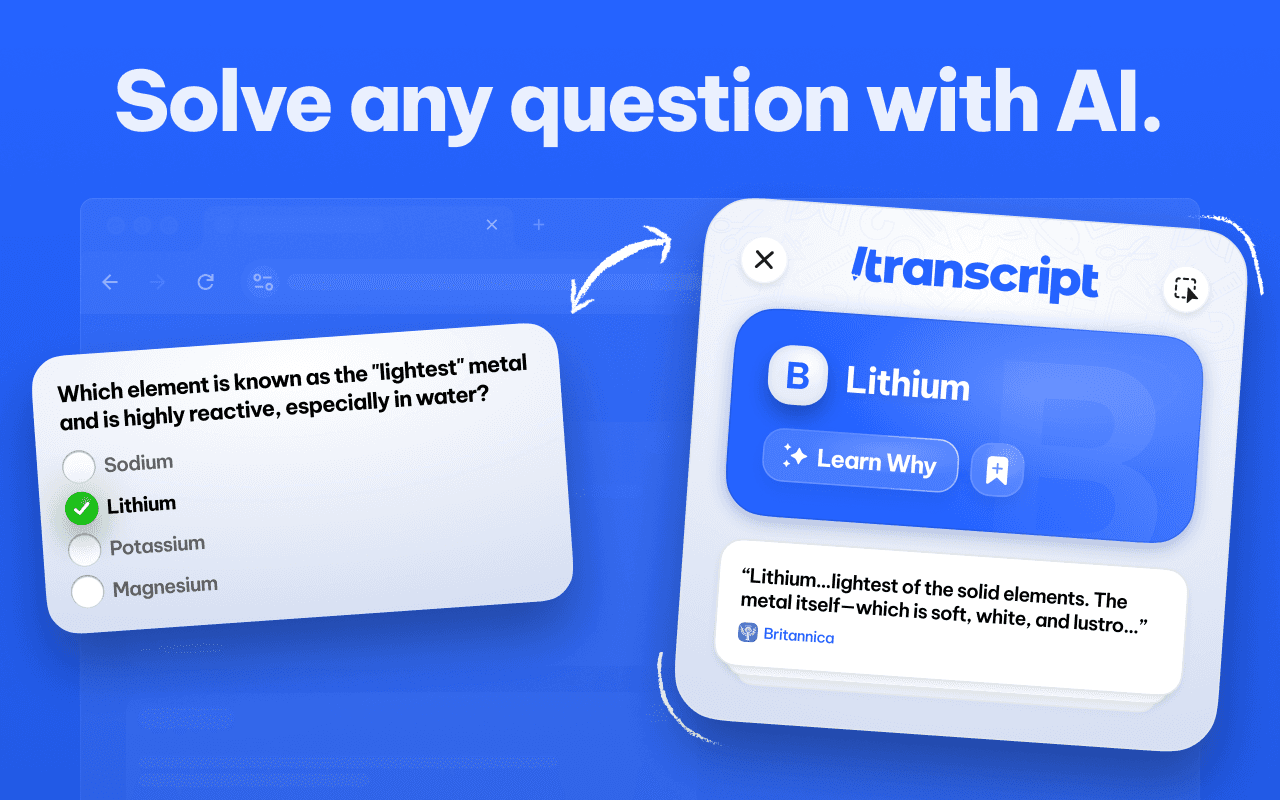
When we ran a six‑week classroom pilot, the pattern became obvious: students stopped toggling between five apps when they could upload PDFs, photos, and spreadsheets into one place and ask questions in plain language, and technically curious users appreciated being able to inspect the Python. Choose it when you need a single workspace that blends tutoring, data parsing, and reproducible steps, especially for mixed homework and project workflows.
2. When is Mathway the wise choice?
If your goal is pure, rigorous math practice, Mathway wins on reliability and speed. It handles algebra through advanced calculus with a tight input flow, a clean graphing calculator, and stepwise breakdowns that mirror how tutors teach. Use Mathway when you care most about concise, correct derivations and want minimal friction from problem to solution.
3. Who benefits from AI Blaze and similar generalists?
Students juggling essays, lab reports, and problem sets will like AI Blaze because it switches contexts without breaking stride. It trades some mathematical depth for broad utility, so it’s best when your day includes writing, study planning, and quick math help rather than deep proof work.
4. When should you use Mathos AI versus MathGPT?
Pick Mathos AI when you want adaptive tutoring that identifies weak spots and prescribes progressive practice, the kind of guided path a dedicated tutor would craft over weeks. Pick MathGPT when visual intuition matters, since interactive animations and video walk‑throughs turn abstract concepts into things you can see and manipulate, which helps with geometry and multivariable ideas.
5. When is Gauth AI the go‑to?
Use Gauth AI when you are mobile, pressed for time, and need to scan a handwritten problem and get a clear, immediate explanation. It does fewer exotic calculations, but it fixes the common pain of being stuck mid‑homework at 10 p.m.
What do market trends and adoption patterns mean for students and educators?
According to Upsolve AI reports, the AI tools market is projected to grow by 30% annually until 2025. This growth forces tools to add broader capabilities, meaning single‑purpose apps either deepen rapidly or get absorbed into multipurpose platforms. At the same time, Upsolve AI finds that over 50% of companies are expected to adopt AI alternatives to Julius AI by 2025. That rate of switching suggests that students and institutions will favor tools that combine accessibility, transparency, and multiformat support over tools with narrow feature sets.
Most students manage homework by copying problems into search boxes and bouncing between apps, because it feels quick and familiar. That approach works until the number of sources, file types, and question formats grows, at which point context fragments, explanations repeat, and learning becomes a friction game. Platforms like AI study tool centralize uploads, natural‑language questions, visual explanations, and exportable code, so teams and students keep context intact while reducing time wasted on format juggling.
How should you decide in practice?
Run three quick tests in a study session: upload a messy PDF and see if the app preserves table structure, snap a handwritten photo and check for correct parsing, then ask an open question that forces a multi‑step derivation to see whether the tool returns reproducible steps. If the tool fails any one test, expect repeated friction when assignments get messy or deadlines compress.
Transcript is an AI study tool that bundles scan‑and‑solve, an intelligent notebook, and a conversational tutor into one workflow, so students can keep solved problems, notes, and explanations in a single place. Try scanning a problem and let the assistant walk you through each step until you fully understand the reasoning.
That convenience is tempting, but the real question is what changes when free, instant answers become your primary way of learning.
Get Answers for Free Today with Transcript
Homework stacks up, and hopping between apps eats focus and leaves you skimming answers instead of mastering steps. When we examined student workflows, the pattern was clear: students want a single tool to manage surging assignments, so they consider Transcript as a cleaner path that keeps everything on one desk and connects study steps to broad research, backed by AnswerThis's 250M+ verified research sources.
Related Reading
- Best AI Math Solver
- How to Learn Math on Your Own
- How to Learn Math Fast
- Hard Math Problems With Answers
- College Math Problems With Answers
- Math Problems for 5th Graders
- College Math Problems With Answers
- Symbolab
- Microsoft Math Solver