Kahoot vs. Quizlet
You’ve got a big test, and you’re getting anxious. You know that cramming can help your short-term recall for the upcoming exam. But what if you could make studying a lot more fun and interactive? How to memorize flashcards is one of the techniques that can help. Wouldn’t that help reduce your anxiety and improve your performance? There are many ways to make studying for a test more enjoyable.
Two popular quiz-based study tools are Kahoot and Quizlet. While they have some similarities, they also have key differences that make one a better choice for your study needs than the other. This guide will help you know Kahoot vs. Quizlet. Kahoot and Quizlet both offer exciting ways to study. However, to get the most out of your studying, you should look at an AI study tool like the one provided by Transcript. This tool will help you study better and faster for your next quiz or exam so that you can get on with your life!
What Is Kahoot?
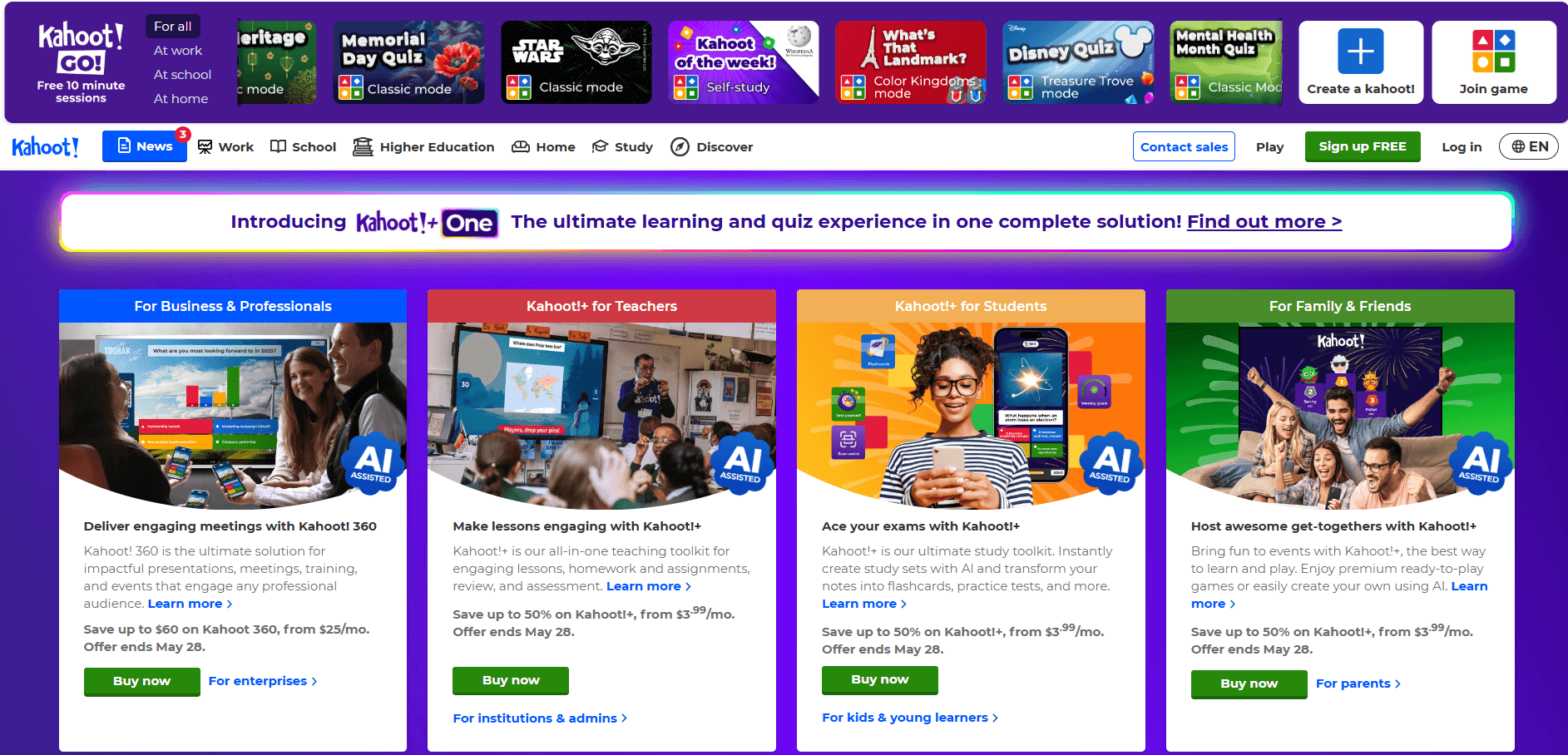
Kahoot is a cloud-based game-based learning platform that turns traditional review questions into interactive quizzes. Educators, trainers, and presenters use it to host live quiz sessions where players compete to answer questions quickly and accurately on their own devices. Whether you’re a teacher in a middle school classroom or a corporate trainer running a workshop, Kahoot helps create a sense of play, urgency, and shared energy around learning.
How Do You Play Kahoot?
To play Kahoot, the host first creates a quiz, known as a Kahoot, with multiple-choice or puzzle-style questions. Hosts can add images, videos, and timers to make the questions more engaging. Quizzes can be created from scratch or selected from Kahoot’s public library. Once the quiz is ready, the host launches it and displays a unique Game PIN. Students or participants visit kahoot.it, enter the PIN, and choose a nickname.
They do not need accounts—just an internet-connected device. The host shares their screen (in person or over Zoom/Google Meet). Questions appear on the main screen, while answer options appear on the players’ devices. Players score points based on speed and accuracy.
After each question, a leaderboard shows who’s winning, creating a competitive atmosphere. After the game, the host can view performance reports, including individual question accuracy, player scores, and class-wide understanding. This makes Kahoot great for formative assessment, quick reviews, or sparking group discussions.
What Are the Core Features of Kahoot?
Kahoot is packed with features to engage players and track performance.
Its core features include
- Live Quiz Hosting - Real-time, high-speed question sessions with music, timers, and leaderboards.
- Multiple Question Types—This includes multiple-choice, true/false, puzzle (reorder answers), poll (no right/wrong), and slide (to add instruction or content between questions) questions.
- Gamified Engagement - Built-in music, animations, nicknames, and point streaks to keep energy high and players engaged.
- Reports & Analytics - Instant feedback on class or team performance, showing which concepts are understood vs. missed.
- Public Kahoot Library - Thousands of quizzes already made by teachers, schools, and publishers that you can reuse or customize.
- Asynchronous Mode (Kahoot Challenges) - Assign quizzes as self-paced homework with due dates and track performance individually.
Who Is Kahoot Best For?
Kahoot is ideal for
- Teachers looking to review material before a test, engagingly introduce new topics, or check student understanding.
- Corporate trainers run onboarding sessions, product knowledge drills, or interactive workshops.
- Tutors or coaches who want to bring energy to small group sessions or one-on-one lessons.
- Students or clubs hosting study groups, revision games, or academic competitions.
What Makes Kahoot Different?
Kahoot thrives on group dynamics—unlike traditional flashcard apps, it’s not built for solo learning. It rewards speed, not just correctness, which is perfect for energizing review but less ideal for long-term memorization. It turns assessment into play, making it great for learners easily distracted or disengaged by traditional study formats. It’s a favorite for icebreakers, warmups, and informal tests, especially in middle, high, and college classrooms.
Related Reading
- What Size Is a Flashcard
- Reason to Study With Flashcards
- How to Make a Flashcard
- How to Study With Flashcards
- Create Flashcards From Notes
What Is Quizlet?
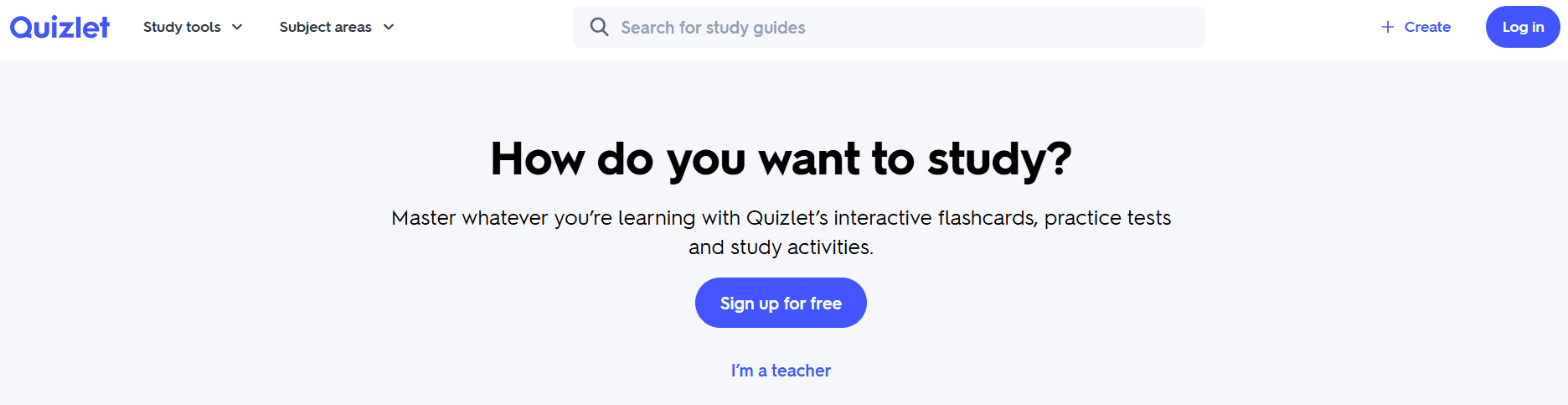
Quizlet is an online learning platform that helps students study and retain information using digital flashcards and interactive study modes. Unlike Kahoot, which thrives on live engagement and group participation, Quizlet is built for independent learners who want to master information at their own pace.
Quizlet is especially popular among middle school, high school, and college students who are preparing for:
- Exams (e.g. SAT, MCAT, AP, GRE)
- Vocabulary-heavy courses (e.g. biology, anatomy, languages)
- Cumulative subjects that require regular review
How Does Quizlet Work?
The best way to learn how Quizlet works is to jump in and start studying. Before going over specific features and study modes, we'll break down the process to familiarize you with the learning tool.
Create or Search for Study Sets
- You can create your own flashcard sets by typing in terms and definitions.
- Or, search Quizlet’s massive public library of user-generated decks covering nearly every subject imaginable.
Use a Study Mode That Matches Your Style
- Flashcards: Flip through cards one at a time, like physical index cards.
- Learn: Adaptive mode that quizzes you and adjusts difficulty based on performance.
- Write: Type in the answers to boost recall and reduce recognition bias.
- Match: A timed drag-and-drop game that matches terms to definitions.
- Test: Auto-generates a practice test (MCQs, T/F, fill-in-the-blank).
- Spell: (language sets) Listen and type what you hear to practice spelling and pronunciation.
Track Progress and Focus on Weak Areas
- Learn Mode tracks terms you struggle with and repeats them more often.
With Quizlet Plus, you unlock more detailed analytics and spaced repetition scheduling.
What Are the Key Features of Quizlet?
Quizlet has several features that make it a powerful tool for studying and memorization.
Key features of Quizlet include:
- Massive Pre-Made Deck Library Millions of flashcard sets made by other students, teachers, and publishers—perfect for fast access to topics.
- AI-Powered Flashcard Generation Paste in your notes or textbook material, and Quizlet will auto-create a flashcard set using smart term recognition.
- Multiple Study Modes: Depending on your mood or time, you can switch between passive (flashcard review) and active (typing or testing) formats.
- Light Spaced Repetition Quizlet’s Learn Mode uses a basic SRS system that ensures you’re not just memorizing once but are reinforced over time.
- Images and Audio Support: Add visuals or use built-in diagrams and audio for language learning and pronunciation.
- Mobile & Web Access Sync your progress across the web, iOS, and Android—study on the go or during breaks.
- Classroom Sharing: Teachers can create class sets and track student completion, and students can share decks with friends or groups.
Who Is Quizlet Best For?
Quizlet is ideal for
- Students preparing for exams where memorization is critical
- Learners who prefer solo, self-paced study
- Anyone who needs to review flashcards throughout days or weeks
- Teachers who want to assign study sets for homework or revision
- Students looking for subject-specific decks (e.g., AP Chemistry formulas, GRE vocabulary, medical terminology)
What Makes Quizlet Different?
It’s built around long-term retention, not real-time competition. The platform allows learners to study smarter, not just harder, by tracking weak spots and focusing on spaced review. The variety of modes makes studying easy even when you're bored, tired, or just need a change of pace. Unlike Kahoot, Quizlet is asynchronous, meaning you can use it anytime, without requiring a host or a group.
Kahoot vs. Quizlet

1. Learning Format: Kahoot vs. Quizlet
Kahoot
Kahoot is built for live, synchronous learning. During a session, everyone answers the same question at the same time. A host controls the flow, and learners must be present in real time.
Quizlet
Quizlet is designed for self-paced, asynchronous learning. Students can study independently—any time, anywhere. No host is required; learners go at their speed.
Verdict
Use Kahoot for classrooms and live reviews. Use Quizlet when you need flexible, on-demand study sessions.
2. Study Modes & Learning Activities: Kahoot vs. Quizlet
Kahoot
Kahoot focuses on multiple-choice quizzes, puzzles, and polls that promote group-based gameplay and competition. Leaderboards and point scoring add fun and pressure, but they focus more on knowledge checking than deep retention.
Quizlet
Quizlet offers multiple study modes, including flashcards, Learn Mode (adaptive), Write Mode, Match game, and Test Mode. Practice is more interactive and spaced, focusing on recall. Spaced repetition encourages long-term memory.
Verdict
Quizlet offers broader study modes for different cognitive styles. Kahoot is great for energizing learners, but it is not built for deep retention.
3. Engagement Style: Kahoot vs. Quizlet
Kahoot
Kahoot is highly energetic and visual, featuring countdowns, music, and animations. The platform builds classroom excitement and friendly competition. It’s better for attention-grabbing moments than quiet focus.
Quizlet
Quizlet provides a calm, focused environment that encourages consistency through tracking and progress reports. The platform is suited for sustained, daily learning rather than one-time sessions.
Verdict
Kahoot is more engaging in groups. Quizlet is more engaging for solo retention and rhythm.
4. Content Flexibility & Customization: Kahoot vs. Quizlet
Kahoot
You can create custom quizzes or use shared “Kahoots” from the public library. The content is question-and-answer primarily with limited format control.
Quizlet
Quizlet lets you create sets from scratch or search public decks. You can add images and audio, adjust card formats, and reuse or remix sets. Quizlet decks can be built around vocab, concepts, formulas, grammar, etc.
Verdict
Quizlet is more versatile and customizable for study materials. Kahoot is best for structured, fast-play reviews.
5. Retention and Spaced Repetition: Kahoot vs. Quizlet
Kahoot
Kahoot does not have built-in memory tracking or SRS (Spaced Repetition System), so it’s more effective for review or informal assessment.
Quizlet
Quizlet’s Learn Mode uses basic spaced repetition to schedule when cards reappear. Premium plans offer better performance analysis and review scheduling.
Verdict
Quizlet is much better for actual memorization and long-term learning.
6. Reporting and Progress Tracking: Kahoot vs. Quizlet
Kahoot
Teachers get quiz reports with performance scores and correct/incorrect rates. The platform focuses on session-based feedback, not individual study growth.
Quizlet
Users can track accuracy, difficult terms, and session progress. Premium users access intelligent recommendations, strengths and weaknesses, and progress dashboards.
Verdict
Quizlet offers personal tracking over time. Kahoot is useful for immediate performance summaries.
Transcript brings AI-powered study tools directly to students' fingertips, helping them tackle complex coursework more efficiently. Our platform features three core tools: instant scan-and-solve for any subject, an intelligent digital notebook, and an AI chat system that provides step-by-step explanations.
Simply scan your problem; our AI provides detailed, step-by-step solutions to help you learn faster and more effectively. Whether you're stuck on a complex equation or need help breaking down complicated concepts, Transcript transforms the way you study. Get answers for free with Transcript.
Which Should You Choose Based on Your Goals?

Kahoot vs. Quizlet: Picking the Right Tool to Memrise Flashcards
When it comes to memorizing flashcards, Kahoot and Quizlet serve different purposes. Choose Kahoot if you’re looking for a tool to energize a classroom and help learners recap material. For personalized study and retention of information, Quizlet is a better option. Let’s unpack each of their strengths so you can pick the right one for your goals.
Choose Kahoot If You Want to Energize a Classroom or Group
Kahoot is ideal for group participation, where learning is social and fast-paced. Use it to review material live, host competitions, or conduct informal assessments. If you prefer real-time engagement over deep retention, Kahoot makes learners think quickly under pressure, which is excellent for checking knowledge, not building it. This makes it ideal for recaps, warm-ups, and in-lesson excitement.
If your role involves leading a group, Kahoot helps you keep attention high, create fun assessments, and spark discussion after each question. If motivation is a challenge, Kahoot’s points, timers, music, and leaderboards make it feel like a game, not a test. Examples of when to use Kahoot include reviewing chapters before a quiz, icebreakers or team-building in training, live academic competitions or club meetings, and checking understanding during a live Zoom lesson.
Choose Quizlet If You Need to Study for an Upcoming Exam
Quizlet is built for individual review and long-term knowledge retention. Whether you’re prepping for SATs, biology midterms, or GRE vocab, Quizlet’s flashcards and Learn Mode help solidify memory. You can log into Quizlet whenever you want, on your schedule. Study for five minutes or fifty minutes—Quizlet adapts to your routine. If you want to learn at your own pace, Quizlet is ideal when you need deep focus and spaced review—no need for flashy distractions. You control the pace, topic, and mode.
From APUSH flashcards to Anatomy and Physiology terms, Quizlet has decks created by millions of users. This is perfect when you don’t want to start from scratch. Examples of when to use Quizlet include memorizing 200 medical terms for your final, practicing Spanish vocabulary on the bus, reviewing for a standardized test like the MCAT or TOEFL, and relearning key concepts from class notes.
Want the Best of Both? Use Quizlet + Kahoot Together.
Many educators and students use Kahoot and Quizlet together. Use Kahoot to kick off or wrap up a class with energy. Then, use Quizlet to assign self-paced review work before or after. Kahoot brings engagement; Quizlet delivers retention.
Smart Alternative is Transcript
If you’re looking for a tool that combines Quizlet’s retention with Kahoot’s automation—but adds even more intelligence—consider Transcript. Transcript is an AI-powered study assistant that turns your notes, textbooks, and PDFs into flashcards and quizzes. It tracks your weak areas and automatically builds a spaced repetition plan.
It eliminates the need for deck-hunting or question-writing and supports students prepping across science, history, medicine, languages, and more. This makes it ideal for college students juggling multiple subjects, learners who want faster review from their notes, and students preparing for high-stakes exams like the MCAT, bar exam, or final exams.
Related Reading
- How to Make Flashcards With Paper
- Best Way to Memorize Flashcards
- Best Way to Study Flashcards
- Best AI Flashcard Generator
- Best Flashcard App for Medical Students
- Quizizz vs. Kahoot
- Best Flashcard App
Get Answers for Free Today with Transcript
Transcript brings AI-powered study tools directly to students' fingertips, helping them tackle complex coursework more efficiently. Our platform features three core tools: instant scan-and-solve for any subject, an intelligent digital notebook, and an AI chat system that provides step-by-step explanations.
Simply scan your problem; our AI provides detailed, step-by-step solutions to help you learn faster and more effectively. Whether you're stuck on a complex equation or need help breaking down complicated concepts, Transcript transforms the way you study. Get answers for free with Transcript.
How Can Transcript Help Me Study?
Transcripts can help you study more efficiently and effectively. Instead of just giving you the answers to a complex problem, Transcripts help you understand how to solve it independently. This process alleviates frustration and promotes learning so you can tackle the next issue independently.