Quizizz vs. Quizlet (Which Is Better)
Learning doesn't have to be boring. Remembering what you've learned is even less so. But, How to Memorize Flashcards? Flashcards are a classic study tool for a reason. They help you break information into manageable bits to memorize the material. The trouble is that traditional flashcards can get monotonous. Thankfully, plenty of digital flashcard tools are out there to help you study that are much more interactive and engaging. Two of the best options for memorization are Quizizz and Quizlet.
But how do you decide between the two? In this guide, we'll explore Quizizz vs. Quizlet so you can pick the right tool for your study needs. You can also use a tool like Transcript AI study tool to help you tackle your flashcard studying. This tool lets you make sense of your study material by creating a study guide with flashcards. Then, it lets you memorize the information on the flashcards by quizzing you on them.
What Is Quizizz?
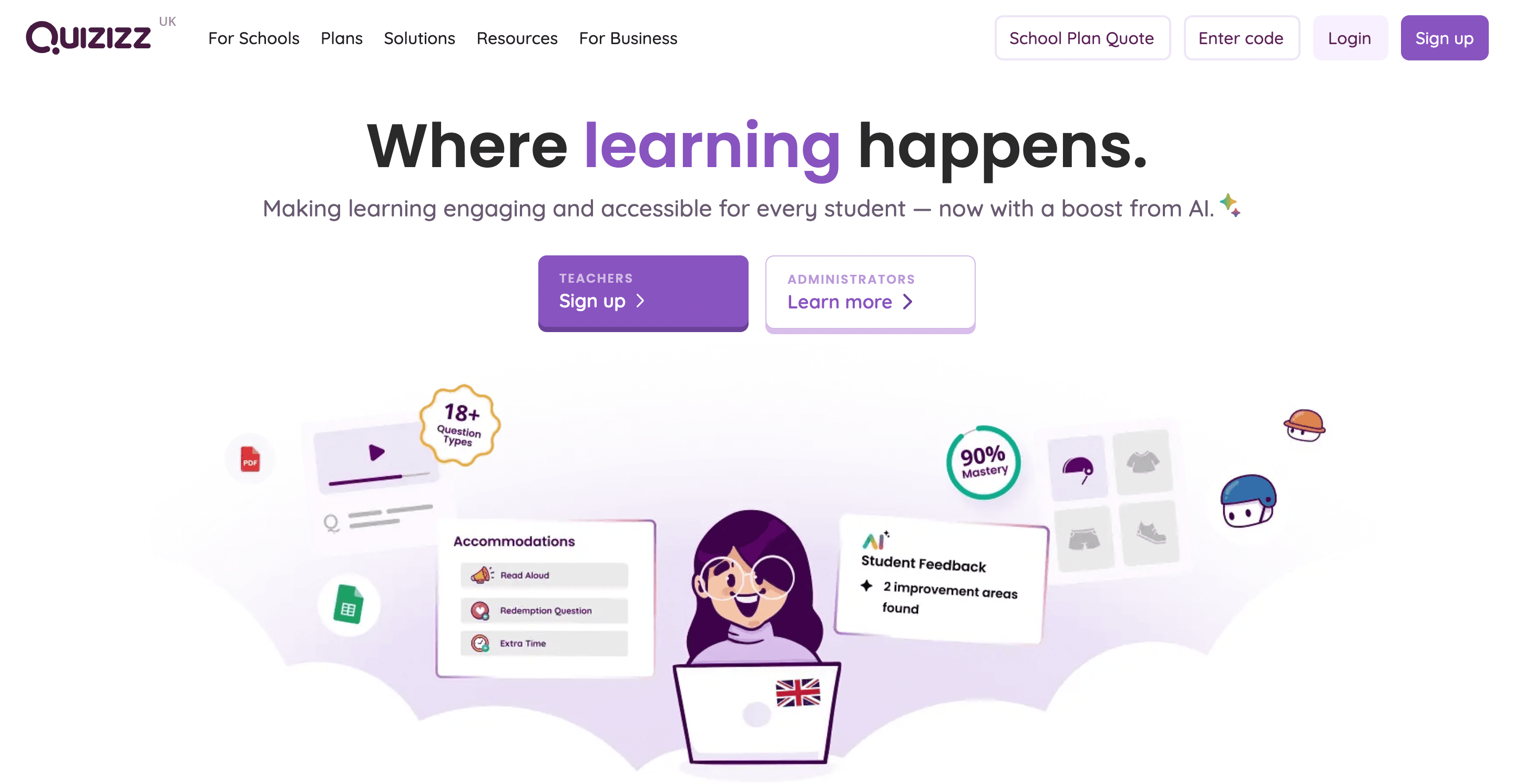
Quizizz is a digital quiz-based learning platform that blends gamification with assessment. It allows teachers, tutors, and trainers to create interactive quizzes for learners to complete either live in a group or individually at their own pace. The platform is widely used across K-12 classrooms, universities, tutoring centers, and training programs to make learning more engaging and data-driven.
Unlike traditional tests or basic multiple-choice tools, Quizizz turns assessments into fun, competitive games with avatars, memes, power-ups, and leaderboards. This helps learners stay motivated while also giving instructors valuable performance insights.
How Does Quizizz Work?
First, teachers and trainers can create custom quizzes or choose from thousands of pre-made quizzes in the Quizizz library. These span subjects like Math, Science, History, and English. Next, the quiz is played in one of two modes. In Live Mode, the quiz is played in real time, ideal for in-class learning. Each participant progresses at their own pace but joins the session through a shared code. In Homework Mode, the quiz is assigned a due date, allowing students to complete it independently at home or remotely. Finally, players answer questions on their own devices. Quizizz enhances engagement using avatars and themes, music and memes, power-ups and answer streaks, immediate feedback, and leaderboards. In short, Quizizz makes learning fun!
Track Results in Quizizz
After completing quizzes, teachers receive detailed data on how each student performed, which questions were missed, and which concepts need reinforcement.
Related Reading
- What Size Is a Flashcard
- Reason to Study With Flashcards
- How to Make a Flashcard
- How to Study With Flashcards
- Create Flashcards From Notes
What Is Quizlet?
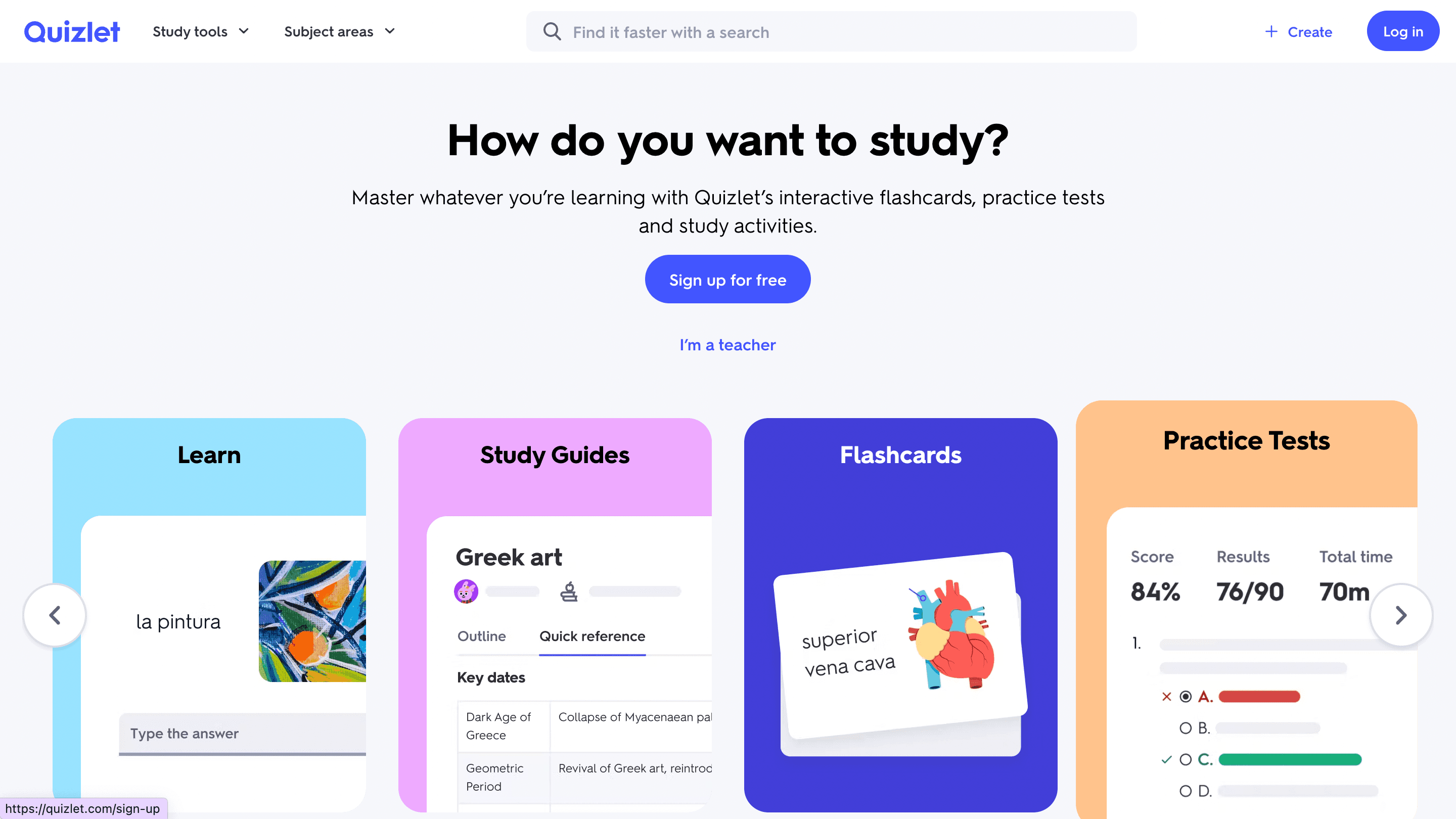
Quizlet is a digital learning platform that helps students study more effectively using flashcards and interactive study modes. It is primarily built for independent learners, though teachers can also set up classes, share study sets, and track engagement. The foundation of Quizlet is its Q&A card system, where users either create their own study sets or browse millions of decks created by other learners, teachers, and publishers. From vocabulary drills to anatomy charts, Quizlet’s content spans nearly every academic subject and professional certification area.
How Does Quizlet Work?
Create or Search for Study Sets
Students or instructors can create their flashcards by entering terms and definitions, or choose from a massive public library of existing sets.
Choose a Study Mode
- Flashcards: Swipe through cards to review key terms and concepts.
- Learn Mode: Quizlet personalizes your learning experience with multiple-choice, typing prompts, and answer feedback.
- Write Mode: Reinforce learning by typing answers from memory.
- Match Game: Match terms with definitions against the clock.
- Test Mode: Auto-generates practice quizzes with different question types. These modes adapt based on your performance and help strengthen memory through active recall.
- Track Progress: Users see their accuracy rate, streaks, and mastery levels based on their performance across the study modes.
Core Features of Quizlet (2025 Edition)
AI-Generated Flashcards
Quizlet now includes an AI feature that allows users to paste in notes, documents, or lecture transcripts, and get automatically generated flashcards, saving time and boosting precision.
Smart Learning Paths
In Quizlet Learn Mode, the platform personalizes your study path by focusing on what you get wrong, using spaced repetition and retrieval practice science. There is a Wide Range of Study Modes, each serving a different learning style: visual, verbal, written, and interactive, so you’re not stuck with one method.
Vast Public Library
Access study sets on topics like: Biology, Chemistry, Physics, History, Government, Law, Languages, and vocabulary. Medical board exams (e.g., NCLEX, MCAT), Test prep (SAT, GRE, etc.)
Visual & Audio Support
Add images and diagrams to cards. Use text-to-speech to hear pronunciations. This activity is ideal for language learners or visual learners.
Quizlet Plus Features (Premium)
Enhanced tracking, Smart grading, Offline access, AI-assisted explanations for complex concepts, and Cross-Platform Use. Available on web, iOS, and Android, study on the go,
across all your devices.
Who Is Quizlet For?
Students (High school, college, professional certifications): Best for studying definitions, concepts, formulas, vocabulary, and test prep Self-Learners: Ideal for independent study routines learn at your own pace with auto-generated reminders and tracking Teachers & Tutors: Can create class sets, share decks with students, and monitor who has studied which sets (with Quizlet Teacher) Language Learners: Built-in audio, image support, and repetition features make Quizlet one of the most used tools for mastering new languages.
Transcript brings AI-powered study tools directly to students' fingertips, helping them tackle complex coursework more efficiently. Our platform features three core tools: instant scan-and-solve for any subject, an intelligent digital notebook, and an AI chat system that provides step-by-step explanations.
Simply scan your problem; our AI offers detailed, step-by-step solutions to help you learn faster and more effectively. Whether you're stuck on a complex equation or need help breaking down complicated concepts, Transcript transforms the way you study. Get answers for free with Transcript.
Quizizz vs. Quizlet

1. Learning Format & Style: What's the Difference?
Quizizz organizes content around quizzes and games, while Quizlet is designed for flashcards and spaced repetition. Learners can’t create custom quizzes on Quizlet. Instead, they study using premade sets or create flashcards to memorize information. With Quizizz, students answer questions in a timed or flexible format with game elements.
The interactive tool emphasizes live or self-paced group interaction, making it great for review, reinforcement, or formative assessments. Alternatively, Quizlet is designed for individual mastery. This means you study at your own pace until you learn the information. The focus is on memorization, test prep, and building long-term retention.
Bottom Line
Quizizz is interactive and game-based; Quizlet is personalized and memory-focused.
2. Ideal Use Cases: When to Use Each Tool
Quizizz is Best For
- Teachers conducting classroom reviews
- Trainers hosting live quizzes
- Assigning homework in a fun, low-stress format
- Engaging learners during synchronous sessions
Quizlet is Best For
- Students studying for exams alone
- Memorizing vocab, dates, formulas, or anatomy
- Preparing for tests like the SAT, MCAT, or GRE
- Language learning and repeated drilling
Bottom Line
Use Quizizz to engage groups. Use Quizlet to study solo and retain knowledge.
3. Question Types & Study Modes: What Can You Do?
Quizizz Supports
- Multiple-choice
- Fill-in-the-blank
- Open-ended responses
- Reordering
- Polls
- Power-ups and streaks for engagement
- Reports tied to each question
Quizlet Offers:
- Flashcards
- Learn Mode (spaced repetition)
- Write Mode (type answers)
- Match Game (term-definition matching)
- Test Mode (simulates quizzes)
- Smart grading and AI explanations (with Quizlet Plus)
Bottom Line
Quizizz offers varied quiz formats for interactive use. Quizlet offers multiple cognitive modes for recall and retention.
4. Gamification & Engagement: Which is More Fun?
Quizizz is highly gamified, with avatars, memes, timers, power-ups, and leaderboards. The interactive tool encourages participation through humor, music, and friendly competition, building its energy and motivation. On the other hand, Quizlet has minimal gamification. The learning-focused interface encourages deep focus and repeated study. “Match Game” is the only playful feature.
Bottom Line
If you want fun and speed, go with Quizizz. If you wish to structure and memory discipline, Quizlet delivers.
5. Analytics & Feedback: How Do They Help You Study?
Quizizz offers detailed teacher reports on student performance, with question-by-question insights. The interactive tool tracks class-wide and individual results, making it great for adjusting future lessons. Alternatively, Quizlet tracks individual progress over time. Learn Mode adapts to user errors and prioritizes weaknesses. Smart feedback in premium versions is available to help learners study better. Overall, Quizlet focuses more on mastery than performance reports.
Bottom Line
Quizizz gives teachers and group leaders data. Quizlet gives learners data about themselves.
6. Content Access & Customization: What’s Available?
Quizizz has an extensive public quiz library, with custom quizzes that support rich multimedia. The interactive tool also promotes teacher collaboration and class-based management. Meanwhile, Quizlet features millions of pre-made study sets. Users can easily duplicate, edit, or create new flashcards. The platform supports images and text-to-speech in multiple languages.
Bottom Line
Both offer excellent content libraries, but Quizlet is superior for subject-specific flashcard depth, while Quizizz is stronger for ready-to-play group quizzes.
7. Integrations and Platform Compatibility: How Well Do They Work?
Quizizz integrates with Google Classroom, Microsoft Teams, and Canvas. Teachers can assign quizzes as homework, use them for live lessons, or prep quizzes for upcoming tests. The tool works across web and mobile devices. Quizlet also allows class creation and content sharing, but it’s best used independently. Like Quizizz, Quizlet is accessible across web and mobile apps.
Transcript brings AI-powered study tools directly to students' fingertips, helping them tackle complex coursework more efficiently. Our platform features three core tools: instant scan-and-solve for any subject, an intelligent digital notebook, and an AI chat system that provides step-by-step explanations.
Simply scan your problem; our AI offers detailed, step-by-step solutions to help you learn faster and more effectively. Whether you're stuck on a complex equation or need help breaking down complicated concepts, Transcript transforms the way you study. Get answers for free with Transcript.
Related Reading
- How to Make Flashcards With Paper
- Best Way to Memorize Flashcards
- Best Way to Study Flashcards
- Best Flashcard App
- Best AI Flashcard Generator
- Best Flashcard App for Medical Students
- Quizizz vs. Kahoot
Which One Should You Use?

Choose Quizizz If You Want Group Energy and Easy Engagement
Quizizz helps you fuel group engagement and classroom interaction. If you’re a teacher or trainer running live sessions, you’ll appreciate how easy it is to create a fun learning environment with Quizizz. Students or trainees can join your game using a unique code, and you can display questions on a shared screen as players answer on their own devices. This promotes collaboration and gamifies the learning process to boost motivation. Students will feel less like they’re studying and more like they’re playing a game. You can also assign self-paced quizzes as homework or class prep. Quizizz even gives you detailed analytics to track student performance per question. Use it to reinforce learning, review material, and create friendly competition.
Limitations
Quizzzz is fun and fast but not designed for long-term memory building or deep conceptual mastery. It focuses more on short-term recall and engagement.
Choose Quizlet If You’re Studying Alone and Need Retention Tools
Quizlet is best suited for independent learners preparing for exams, building vocabulary, or trying to master facts. Use Quizlet if you’re a student preparing for a test or certification and need to memorize terminology, formulas, or anatomy. The platform is excellent for structured study modes like flashcards, Learn, and Test. You can create your decks or use public ones—Quizlet also values spaced repetition and personalized progress tracking.
Limitations
Quizlet is excellent for repetition and recall, but doesn’t create flashcards. It also lacks interactive group engagement and real AI-powered quiz generation.
But If You Want Smarter, Faster Learning, Choose Transcript
If you’re tired of manually creating flashcards, juggling multiple apps, or struggling to figure out what you should review next, you’ll want to use Transcript. Transcript is an AI study tool that combines the best of both worlds: automated flashcard creation, personalized quizzes, and mastery-based learning paths, all built from your study material.
Why Transcript Is the Better Alternative in 2025
Auto-generates Flashcards and Quizzes.
Upload your class notes, lecture recordings, or study guides. The Transcript instantly creates accurate Q&A cards and tests from your real content.
Targets Your Weak Spots
It doesn’t just quiz you, it analyzes your answers, tracks what you forget, and suggests what to review next, so your time is never wasted and built for Retention, Not Just Engagement. While Quizizz boosts participation and Quizlet aids memorization, Transcript uses spaced repetition, topic tagging, and real-time performance tracking to retain what you learn.
Ideal for Exam Prep and Heavy Subjects
Whether prepping for the SAT, GRE, nursing exams, or trying to understand complex lectures, Transcript helps you simplify and review more effectively. One Platform, Zero Guesswork Flashcards, quizzes, weak-point targeting, performance graphs, all in one platform. No more switching between Quizlet and Quizizz to fill in the gaps. Choose Transcript if you want: AI will create flashcards and quizzes for you, a study system that adapts to your weak points, and smarter revision focused on retention and exam success.
Get Answers for Free Today with Transcript
Transcript is an AI-powered study tool designed to help students tackle coursework more efficiently. The platform features three core tools: instant scan-and-solve for any subject, an intelligent digital notebook, and an AI chat system that provides step-by-step explanations. Whether you're stuck on a complex equation or need help breaking down complicated concepts, Transcript transforms the way you study. Get answers for free with Transcript.
How Does a Transcript Work?
With Transcript, students can scan their study problems and receive instant help to learn how to solve them. This helps students quickly overcome frustrating roadblocks in studying to learn the material and move on. Instead of just getting the answers, the AI breaks down problems and offers detailed explanations so students understand how to tackle similar questions in the future. The tool is especially great for visual learners, as the AI can create helpful diagrams and visual aids to illustrate solutions.