10 Tips to Learn Coding (Build 3 Beginner Projects in 14 Days)
Learning to code often means breaking down challenges into manageable pieces, similar to mastering any complex subject. Clear steps, regular practice, and relevant examples help unravel tangled syntax, debugging, and logic, turning initial confusion into steady progress.
A practical approach with focused projects can streamline the learning process, ensuring that beginners build skills confidently and efficiently. Transcript’s AI study tool converts lessons into actionable steps, daily practice prompts, and project checklists to guide learners from uncertainty to competence.
Summary
- Beginners often treat coding as a theoretical subject rather than a hands-on craft, and approximately 70% of new learners report that coding feels challenging because they try to "understand" before they build.
- Choice paralysis and constant switching reset momentum, and around 30% of beginners give up within the first few months, showing that early indecision destroys habit formation.
- Tutorials teach reproduction rather than production, which aligns with the finding that 80% of beginners never complete their first project, indicating a need for scaffolded, end-to-end tasks.
- Project-based sprints force real decisions and feedback, and a LinkedIn Pulse study found students who engage in coding projects are 60% more likely to retain programming concepts.
- Short, daily practice accelerates progress: 85% of beginners report that daily coding improves learning speed, and micro-practices such as one commit per task and a 10-minute rule prevent marathon burnout.
- Transcript, an AI study tool, addresses this by scanning problems, delivering step-by-step solutions, and storing organized notes so learners spend less time hunting and more time iterating.
Why Learning Coding Feels Hard for Beginners

Coding is often perceived as a theoretical subject rather than a hands-on craft, which makes it difficult for learners. They try to understand concepts before actually building anything. Real understanding comes from finishing something small, breaking it, and fixing it; this process is the fastest way to clear confusion.
When groups start with long lessons on variables and loops, they gather definitions but lack confidence. This happens with both classroom groups and self-taught learners. Most people watch well-made examples and nod along, but they leave with only a neat mental model that quickly falls apart when they face a blank editor. It’s like reading about how to balance on a bike and then expecting to balance without any wobbling.In fact, about 70% of beginners find coding difficult because of the steep learning curve, as highlighted in the 2024 Digital Transformation Study. This shows how common the initial shock of coding can be. To support this learning journey, our AI study tool provides resources that simplify complex concepts, making it easier for beginners to grasp coding concepts.
Why do errors feel like you’re failing instead of learning?
Pattern recognition helps explain why this happens: errors feel overwhelming because new learners lack a practiced way to interpret them. New learners encounter an error log and often feel judged rather than supported. The best reaction should be diagnostic curiosity, not shame.When people view error messages as helpful feedback, troubleshooting becomes a routine skill rather than a difficult challenge. This change helps people move faster by encouraging experimentation rather than avoiding coding.
Do tutorials give a false sense of mastery?
Tutorials teach reproduction, not production. While you can follow steps and end up with a working file, you do not practice the messy decisions that happen between the lines of a finished example. This gap helps explain why people can replicate a to-do app but often freeze when faced with a smaller, blank task. The true test of mastery lies in starting from scratch, writing the first line, and navigating the challenges of the first bug.In this regard, our AI study tool can assist by providing tailored feedback to help you overcome these challenges.
Why does choice paralysis stop people from building?
Switching paths constantly, Python on Thursday, JavaScript on Saturday, disrupts momentum. This is a clear failure mode based on constraints: progress depends on practice, and each switch wipes out that progress. This pattern shows why about 30% of beginners give up coding within the first few months, as noted in a Reddit discussion. Early indecision and constant switching can undermine momentum before good habits are formed; consider using our AI study tool to track your learning progress more effectively.
Why do learners default to step-by-step tutorials?
Most learners prefer step-by-step tutorials because they feel comfortable with them. This method can help build confidence in the short term, but it has a hidden downside: fragmentation. Learners might spend hours on content without developing a composable skill.Platforms like Transcript project-first bootcamps change this familiar approach by requiring tiny, scaffolded deliverables. They also pair focused debugging sessions on mistakes with mentor feedback. This helps learners create repeatable workflows for starting and completing projects. Teams discover that this structure replaces confusion with a pattern of small wins, turning troubleshooting into a skill that is taught rather than just a matter of luck.
When will you actually feel confident enough to build larger things?
Confidence comes from many small, low-risk wins. Begin with a calculator, then take a quiz, and finally, add a feature to an existing app. Each small success changes how you view what you can do.The change in feelings is big: frustration turns into curiosity, making you stop questioning if you’re "meant to code" and start wondering what to try next. Alongside these small wins, tools like our AI study tool can further boost your learning experience.
What keeps people from shipping their first project?
The common itch of wanting to feel ready before starting is exactly what stops most people from ever finishing a single project. It's important to remember that using AI study tools can help you build confidence and structure in your approach.
Related Reading
- How Long Does It Take to Learn Calculus
- How Long Does It Take To Learn Coding
- How To Study Chemistry
- How To Study For A History Test
- How To Study For Organic Chemistry
- How Long Does It Take To Learn French
- How To Study Computer Science
- How To Study French
- How To Study For Anatomy
Why Most Beginners Never Build Projects
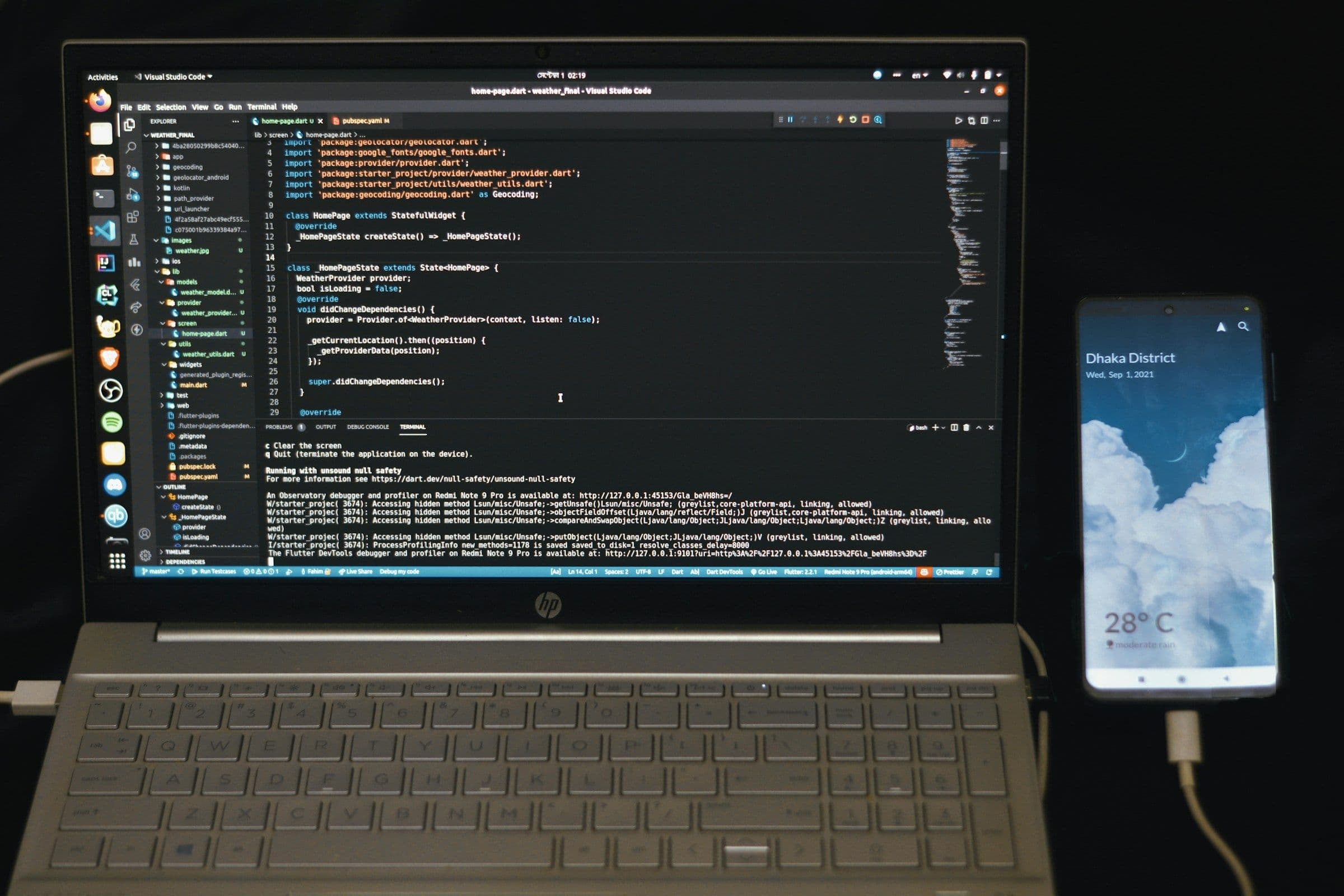
Most beginners stall because the learning path rewards consumption rather than deliverables. The moment they try to build something real, they encounter practical obstacles that hinder their progress. These problems are predictable and avoidable; they can quickly lead to permanent abandonment unless project planning and support methods improve.
What happens when someone opens a blank editor and is ready to work?
This is a common issue in hobby projects and classroom groups: the first real task shows three major obstacles: cognitive load, tooling friction, and unclear scope.Cognitive load refers to the strain on working memory from setup steps, error messages, and numerous small decisions that learners haven't practiced. Tooling friction arises from time spent configuring tools, installing packages, or resolving version mismatches, rather than learning concepts. Scope confusion can turn a single feature idea into a huge to-do list. These three issues can cause progress to vanish during the first session.
Why does this approach seem reasonable?
Most learners choose big, visible goals because they feel motivating and important. They believe skills develop through building larger projects. This choice appears logical: larger projects should lead to more learning.The hidden downside is the trade-off between progress and reward: learners exchange daily achievements for a remote, uncertain payoff. The result is a long, fragile path where one setup mistake can wipe out hours of perceived progress. As a result, the emotional cost of trying again becomes too high. If you’re feeling stuck, don't forget that tools like our AI study tool can simplify your learning process and tackle these challenges head-on.
Which concrete mistakes end projects most often?
An overambitious scope, missing infrastructure decisions, and an absence of rollback plans can harm project success. A common failure happens when teams start without a minimal deployable slice. This often leads to getting stuck on issues such as deployment, authentication, or data access.A frequent reason for these setbacks is poor scope and planning. According to a Reddit user, 50% of projects are abandoned due to insufficient planning. This finding indicates that poor planning, rather than a lack of motivation, is often the primary reason for project abandonment.
How do social signals and habit formation influence whether you finish?
When beginners compare themselves to polished examples, they often underestimate the small, repetitive tasks required to ship a product. This comparison leads to avoidance; people tend to delay, gather more tutorials, and eventually lose the habit of shipping.
Commitment mechanisms are critical, as tools such as scheduled check-ins, versioned milestones, and small public releases turn friction into accountability. The economics are clear; many never reach the first finish line, as shown by the fact that "80% of beginners never complete their first project." Additionally, our AI study tool helps users define their goals and stay focused on completing tasks. This statistic shows how common it is for people to get stuck at the start.
Why do most teams handle onboarding inefficiently?
Most teams manage onboarding with long, self-guided modules because they find them easy and scalable. While this might work in the early stages, issues related to the environment, dependencies, and scope can derail progress, leaving mentors feeling overwhelmed.
Solutions such as project-first platforms can help. These platforms centralize environment setup, provide micro-project templates that can be delivered in a single commit, and include short feedback loops. This method reduces initial setup time and makes the first deployment easier to replicate.
What Actually Predicts Who Will Stick With Coding?
Persistence follows predictable structures: small, frequent wins; clear artifacts that can be improved over time; and simple frameworks that eliminate common setup mistakes.Think of it as building a model airplane with instructions, rather than just buying loose parts and hoping that putting them together will teach you how to engineer.By breaking tasks into manageable experiments, the emotional cost of failure decreases, making the next attempt feel easier rather than daunting.
What is the real obstacle beginners face?
The real challenge often lies in this important area and affects everything that follows.
How Beginners Actually Learn Coding Faster

Projects significantly speed up learning because they change passive information into important choices that you make over and over. These choices help you practice and strengthen the exact mental muscles needed for programming. After two weeks of focused practice, learners stop just memorizing facts; instead, they start to show behaviors that can be repeated, debugged, and improved. To enhance your study experience, consider using our AI study tool, which provides tailored coding challenges.
How do projects force abstract ideas into real decisions?
When you build, an abstract rule becomes an option on a checklist: deciding where to validate input, whether to loop or map data, and which function will own a behavior. This transition shifts your mind from definition mode to decision mode.This change is important because making decisions creates clear error signals that you can interpret and fix.
Think of it like learning to read a map while navigating a city, instead of just holding the map at home. The mistakes you make while moving are the specific corrections that improve your future trips.In a short sprint, learners who encountered a parsing bug on day two learned file handling and string manipulation in hours rather than weeks because the bug forced a clear choice and a clear fix. Our AI study tool simplifies the learning process and helps you quickly identify critical errors.
Why Do Projects Expose What You Do Not Know Faster Than Tutorials?
The familiar path consists of polished examples and linear walkthroughs that hide the forks and dead ends encountered in real work. The moment you try to extend or reuse that code, you feel the struggle that points out the missing concept, tool gap, or assumption. This pattern is clear in bootcamps and self-study groups: when the scope is small and complete, students stop guessing what to study and start focusing on what their project needs.A focused project creates a quick feedback loop; therefore, the next lesson learned is driven by urgency rather than curiosity. This urgency is why a 2025 LinkedIn Pulse study shows that students who engage in coding projects are 60% more likely to remember programming concepts, demonstrating that projects help fix knowledge in long-term memory rather than leaving it passive. Additionally, using our AI study tool can enhance your learning experience by pinpointing areas for improvement, making your projects even more effective.
How does building create confidence before you “feel ready”?
Most learners wait to feel capable, but confidence comes from small wins rather than being naturally confident. When starting with a small, doable task and completing it, people often notice a difference right away. The next problem feels like an experiment instead of a failure.During a 14-day sprint, I worked with a team where simply completing three simple features changed how everyone approached challenges. They stopped shying away from mistakes and started seeing them as a guide for learning. This change is what turns waiting into momentum.
Why is a 14-day window enough to see real progress?
Two weeks provide repeated, spaced practice and a variety of tasks to support learning across different situations. Daily, focused actions add up quickly; in 2025, LinkedIn Pulse reported that 85% of beginners found that practicing coding daily improved their learning speed. This finding explains why short daily projects significantly improve skills.By planning daily sessions that alternate between building, debugging, and explaining code, learners practice recalling information, correct mistakes immediately, and reinforce their understanding to support neuroplasticity. In practice, this method involves completing three small projects from start to finish, addressing varied challenges, performing constant error-focused debugging, and writing nightly notes summarizing failures and fixes. Consider how our AI study tool can streamline your learning process and help you achieve better results.
What common mistakes slow down beginners?
Most beginners deal with stuck moments by looking for scattered answers or going back in lengthy tutorials. While this method feels familiar and safe, it only works for a short time. It disrupts the context and wastes momentum, as small problems can escalate into multi-hour delays.Platforms like Transcript change the situation by combining instant scan-and-solve, an intelligent notebook, and an on-demand AI chat, enabling teams to reduce learner search time. Instead, they can focus more on iterating, which helps maintain momentum and turns interruptions into useful learning steps. This is where our AI study tool can significantly enhance productivity, making it easier to tackle challenges smoothly.
How does Transcript help students learn more efficiently?
Transcript brings AI-powered study tools right to students' fingertips, helping them handle complex coursework more easily.As an AI study tool, Transcript scans problems, provides step-by-step solutions, and organizes notes, helping you learn as you solve.
What future challenges do beginners face?
That short rhythm sounds manageable. However, it becomes clear when you notice the one repeating mistake that almost every beginner makes.
Related Reading
- How To Study For A Biology Test
- How To Study Marine Biology
- Best Way To Learn Coding
- How To Study For Biology
- How To Study For History
- How To Study For Biology In College
- How To Learn Chemistry On Your Own
- How To Pass Social Studies GED Test
- How To Speak French For Beginners
- How To Get Better At Chemistry
- How To Study For Economics
10 Tips to Build 3 Beginner Coding Projects in 14 Days

You can complete three real projects that users can see within 14 days by treating each day as a mini product cycle. Focus on one small goal, deliver the smallest part that shows it works, and then spend the rest of the time improving that part. Tight scopes, short feedback loops, and daily artifact reviews are more effective than long study sessions and unfocused tutorials.
To plan daily work for ongoing progress, treat each day like a sprint split into two short blocks: one for coding and one for learning about problems. Start with a 50–75-minute focused build block to make progress on your code. Then, take a 20–30-minute diagnostic block to review error messages, write a brief test, and capture one lesson in a notebook.This pattern turns challenges into a checklist: commit, run, fix, note, sleep. It helps avoid mental fatigue that often accompanies long sessions and keeps mistakes small and fixable. Our AI study tool can help you capture insights as you learn.
What micro-practices push projects forward instead of stalling them?
Adopt these habits to keep your project moving forward: one commit for each completed task, a one-line issue for every bug, and a 10-minute rule for blockers. This means you should try to resolve the problem for 10 minutes before shifting focus or seeking help.Using fake data or mocked APIs can help you create UI and logic without delays in deployment. Also, maintain a file named BUILDLOG.md to record the three actions you took that day and one unresolved question; this helps you stay on track and maintain momentum between sessions.
How do you get unstuck faster without losing learning value?
When stuck, follow a four-step diagnostic sequence: reproduce the error, isolate the smallest failing case, identify an exact phrasing of the error, and implement the smallest change that could plausibly fix it.After applying the fix, rewrite any copied snippet using your own variables and include a short comment explaining why the change works.This approach makes borrowed solutions easier to understand and helps prevent fragile copy-paste habits.
Which scaffolds save hours during a sprint?
Create two reusable scaffolds before Day 1: a starter repo with configuration baked in and a tiny UI template with placeholder data.These scaffolds help you skip environment setup, so you can focus on behavior rather than setup.
For project ideas and quick, customizable templates, see practical lists such as 10 Tips to Build 3 Beginner Coding Projects in 14 Days, as well as sample sets for 3 Beginner Coding Projects. After reviewing these, prune them aggressively to fit within your 14-day limits.
What emotional traps should you plan for, and how do you avoid them?
Expect frustration and quick fatigue. In a 14-day coaching sprint we ran, learners who tried marathon study sessions ran out of steam. We switched them to two focused blocks per day and saw better persistence and cleaner commits.When feature creep appears, stop and ask: Does this change increase the project’s ability to prove the core idea? If not, park it. That rule keeps your confidence steady instead of oscillating with every nice-to-have. To streamline your study sessions, consider using our AI study tool to improve learning.
How do you close a project so you actually finish three in two weeks?
Declare a finish line that focuses on observable behavior instead of how it looks. Finish when the main process runs fully on a single machine, and include a simple README explaining how to run it. After that, do a final polish: resolve two major UX confusions, add input checks where crashes occurred, and create a short video or GIF showing the app in action.Sending out that artifact acts as the confidence engine that lets you begin the next project without worry. Additionally, consider how tools like our AI study tool can streamline your learning and project management processes.
What is the long-term benefit of this project-building process?
This process is like testing three small bridges in succession. You build one span, walk across it, and notice the squeaks.By leaving it strong enough to cross again, you build trust, which allows you to try the next span with less fear and greater speed.
How can AI tools assist in your coding journey?
Transcript brings AI-powered study tools directly to students' fingertips, helping them tackle complex coursework more easily. As an AI study tool, Transcript scans problems and gives step-by-step solutions.It also keeps organized notes to enhance learning while you solve. Our AI study tools can significantly help you master your coding journey.
What Common Friction Hinders Learners' Progress?
The friction that keeps many learners stuck is often easy to notice. Finding this friction is important because it shows exactly where progress can either get stuck or break down. Our AI study tool can help identify these pain points and provide solutions tailored to each learner's needs.
Get Answers for Free Today with Transcript
Beginners often lose momentum when they hit a problem that takes an hour to fix. This changes productive coding practice into frustrating busywork. To learn to code faster, it's important to choose tools that help avoid these issues.Platforms like Transcript offer instant scan-and-solve features, an intelligent digital notebook, and on-demand AI chat. With Transcript, you can quickly scan a problem, get step-by-step solutions, save the lesson, and get back to coding in just a few minutes. Consider giving Transcript a try.
Related Reading
- How To Learn Spanish
- How to Study Geography
- Best Website to Learn Coding
- How to Study Linear Algebra
- How to Study for Accounting
- Best Coding Language to Learn
- How to Study Science
- How to Study Sociology